iPad Air (2022) Review: The Power of the Apple M1

After working wonders in macOS devices, Apple’s in-house M1 SoC replaced its A-series processors in the high-end iPad Pro models last year, and they got a big performance bump thanks to that. This year, the same SoC has trickled down to the Apple iPad Air (2022), making it the most affordable iPad with the M1 SoC. In terms of functionality, the iPad Air (2022) is still limited by its software and cannot take on the MacBook Air directly. However, its starting price of Rs. 54,900 compared to the more expensive iPad Pro models does leave room for accessories such as the Apple Pencil and Magic Keyboard, both of which help improve its versatility. With this in mind, it’s time to find out whether the iPad Air (2022) can double up as an affordable laptop alternative, and whether it offers better value than the iPad Pro 11-inch (2021) with the same set of accessories. Here’s my review.

iPad Air (2022) price in India

The Apple iPad Air (2022), also known as the iPad Air 5th Gen, starts at Rs. 54,900 in India for the 64GB Wi-Fi-only variant. The 256GB version is priced at Rs. 68,900. The 5G cellular-enabled models with the same storage cost Rs. 14,000 more each, which bumps the prices up to Rs. 68,900 and Rs. 82,900 respectively.

What’s pleasantly surprising is that Apple has maintained the prices of the previous iPad Air (2020) (Review).

The iPad Air (2022) sports the same display as the iPad Air (2020)


iPad Air (2022) design

The iPad Air (2022) is identical to its predecessor in terms of dimensions, and it is only when you compare the specs of both models side by side that you’ll find that the new model is marginally heavier. With the two devices placed next to each other, it is impossible to tell them apart unless you get the new model in one of its new colour options. The iPad Air (2022) measures 6.1mm in thickness and has an aluminium body. My unit in the Starlight trim had a matte finish which helped keep fingerprints off the surface.

Since I had a cellular variant, my unit had antenna lines running across its width, at the top and the bottom. It has two sets of speaker grilles at the top and the bottom of the frame, but there are just two speakers for stereo sound only in landscape, just like on the iPad Air (2020). It has a USB Type-C port on the bottom while the top has the power button with an integrated Touch ID fingerprint sensor as well as a microphone. The Touch ID setup process recommends enrolling both index fingers. I found myself unlocking the tablet with my right index finger when using the iPad Air (2022) in portrait orientation, and the left index finger when in landscape mode.

The volume buttons are made from aluminium, just like the body,and feel sturdy. However, their functionality now changes dynamically based on the orientation of the iPad Air (2022) and there’s no way to change this, which can be very annoying. Holding the iPad Air (2022) in landscape orientation inverts the functionality of the volume keys which means the button on the right (which used to be on the bottom) increases the volume instead of decreasing it. Unlike older iPads that received this feature with the iPadOS 15.4 update, this button assignment cannot be disabled on the iPad Air (2022).

The iPad Air (2022) looks and feels premium


The Apple Pencil can snap magnetically on to the right side of the iPad Air (2022) for storage and charging. You can pop in a SIM card or use an eSIM for data connectivity on the cellular model. At the back, the iPad Air (2022) only has a single camera compared to the dual camera setup on the iPad Pro (2021) models. There’s also an iPad Air logo towards the bottom, just above the accessory connector.

iPad Air (2022) specifications

The iPad Air (2022) sports a 10.9-inch Liquid Retina display, just like the 2020 iPad Air. It is an IPS LCD panel with a resolution of 1640 x 2360 pixels and a peak brightness of 500 nits. The display supports the P3 colour gamut and has Apple’s True Tone feature that adjusts its colour temperature based on ambient light.

The highlight of all the hardware has to be the Apple M1 SoC that powers the iPad Air (2022). Surprisingly, this isn’t the 7-core GPU variant of the SoC found in the entry-level MacBook Air (M1, 2020). Instead, it’s the 8-core GPU variant, just like what’s used for the 2021 iPad Pros. There is 8GB of RAM in the iPad Air (2022). Apple still does not state the battery capacity of the iPad Air (2022) in its spec sheet, but claims it can deliver up to 10 hours of battery life for Web surfing and watching videos. These claims are similar to what Apple stated for the iPad Air (2020). Apple does include a 20W USB Type-C power adapter and a USB Type-C to Type-C cable in the box.

Apple has upgraded the front camera on the iPad Air (2022) to a 12-megapixel ultra-wide-angle one. It also supports Centre Stage, and I’ll talk more about this in the performance section. The rear camera is still the same 12-megapixel wide-angle unit as its predecessor. The Apple iPad Air (2022) supports Bluetooth 5 and Wi-Fi 6, and the cellular model additionally supports 5G, 4G LTE, GPS, and Wi-Fi calling.

iPad Air (2022) software

The iPad Air (2022) runs Apple’s iPadOS which is a fork of iOS. My review unit was running iPadOS 15.4.1 and was updated to iPadOS 15.5 during the review period. Apple has a good track record of offering software updates for all its devices for many years, and I expect this iPad Air (2022) to get the same treatment, which should help it age well. Since I was coming from another iPad, setting up the new iPad Air (2022) was easy.

Apple has improved support for multitasking with iPadOS 15. You can use Split View to run two apps or two instances of certain first-party apps side by side. Another feature is Slide Over, which allows you to open multiple apps in a small windowed mode. These features are not brand new, but they are easier to discover and use in iOS 15, which takes the iPad Air (2022) a step closer to functioning as a laptop.

The Slide Over feature in iPadOS 15 makes multitasking convenient


If you own other Apple devices, the iPad Air (2022) can take advantage of the entire ecosystem. For example, your existing Airpods should automatically show up as a paired device on the iPad Air (2022). If you use a relatively recent Mac, you can use this iPad as a second display. Apple’s recently introduced Universal Control feature allows you to control this iPad using the keyboard and trackpad of a Mac as well, letting you multiple devices side by side.

Apple iPad Air (2022) performance

I got to use the iPad Air (2022) for a couple of weeks, during which I also used the optional Magic Keyboard to see if this combination could replace my MacBook Air (Review). When using it as a tablet, I found the display size to be just perfect for media consumption. It isn’t too small like the iPad mini (Review), or too big like the 12.9-inch iPad Pro. It is slim and the weight is well distributed. It did not cause too much fatigue while holding it in one hand either.

The Touch ID sensor was consistent with authentication for unlocking the iPad Air (2022). iPadOS was smooth and responsive. The screen was crisp and sharp, but the 4:3 aspect ratio caused widescreen video to run letterboxed, with thick black bars above and below most content that I viewed. If you prefer the super-punchy output of AMOLED panels, you might find the colours on this iPad’s display to be slightly muted in comparison. The dual speakers were loud enough to fill a small room and sound wasn’t hollow either. The iPad Air (2022) became my go-to device for watching videos on and surfing the Web when I was away from my laptop.

The Apple M1 SoC is potent and we’ve already talked about its performance in our reviews of the MacBook Air (M1) and iPad Pro (2021), so I won’t go into much detail here as the experience was very similar. I did run a few benchmarks and compared the scores to those of the iPad Air (2020). The results weren’t surprising — in AnTuTu, the iPad Air (2022) scored 1,001,016 points; a nearly 25 percent lead over its predecessor which managed 763,080 points. The iPad Air (2022) scored 20,932 points in Geekbench 5’s Metal test, while the iPad Air (2020) managed 12,496 points.

The Touch ID sensor is embedded into the power button on the iPad Air (2022)


I played Asphalt 9: Legends on the iPad Air (2022). It was quick to load and ran without any lag or stutter. However, I noticed that the back of this iPad got hot after playing this game for about 20 minutes. I also noticed a 10 percent drop in the battery level, which is on the higher side.

However, when not performing intensive tasks on the iPad Air (2022), I didn’t have any trouble with battery life. This tablet easily lasted for over two days with my casual usage. Apple has managed to keep idle battery drain very low, so it doesn’t need to be charged frequently. In our HD video loop test, the iPad lasted 9 hours and 34 minutes, a little shy of Apple’s 10-hour claim. Charging the iPad with the bundled 20W USB Type-C charger got the battery up from zero to 26 percent in 30 minutes and up to 50 percent in an hour. Charging the iPad Air (2022) completely took about two hours.

iPad Air (2022) camera sample (tap to see full size)


The 12-megapixel primary camera on the iPad Air (2022) is good enough for capturing the occasional photo and scanning documents with, but it wouldn’t be my first choice for any serious photography. The selfie camera is a major upgrade compared to the one on the outgoing model. The 12-megapixel ultra-wide camera gets Apple’s Centre Stage feature that automatically pans and zooms in on the subject to keep you and whoever else is with you in the centre of the frame, even if you move slightly or multiple people come and go. I used this feature with FaceTime and it worked as promised. It can also be used with other video calling apps and will benefit those who move around while on a video call.

iPad Air (2022) as a laptop replacement

Things were a little different when I used the iPad Air (2022) as an alternative to my laptop. I used it along with the Magic Keyboard accessory which is quite expensive at Rs. 27,900. Typing aside, this accessory keeps the iPad Air (2022) upright without needing to rest it against something, and makes the whole setup easier to use on your lap. An alternative accessory offered by Apple is the Smart Keyboard Folio case which retails for Rs. 15,900 but it lacks a sturdy base and will need to be used on a table. Third-party options are also available. If you pick the 256GB Wi-Fi-only model of the iPad Air (2022) and pair it with a Magic Keyboard, the total cost would come to Rs. 96,800 which is slightly more than what the base MacBook Air costs.

The connectors at the back of the iPad Air (2022) let it work with Apple accessories


Considering my line of work, I was able to go about my day easily using just the iPad and the keyboard case, without really needing my laptop. I use Google Docs a lot, and the Apple App Store has all the other apps I normally use. Loading up Slack in Slide Over mode on this iPad made it convenient to check my work messages at a glance. I also wrote a major chunk of my Samsung Galaxy M53 5G review with this hybrid setup. The iPad Air (2022)’s battery still had about 40 percent left at the end of a typical workday. My USB Type-C accessories also worked well, and I could access a 1TB hard drive using the Files app. The Magic Keyboard has an additional USB Type-C port but this is only for charging the iPad.

There are certain things you need to know before you consider the Apple iPad Air (2022) as a laptop replacement. I found the Magic Keyboard slightly cramped compared to the keyboard of my MacBook Air. The lack of Function and Escape keys on the Magic Keyboard was another annoyance. Unlocking the iPad Air (2022) using the Touch ID sensor on the left side in portrait mode when attached to the keyboard stand wasn’t as convenient as using the one on the MacBook Air (2020)’s keyboard either.

Verdict

The iPad Air (2022) is yet another fantastic Apple device to be powered by the capable M1 SoC. This new iPad has very few changes compared to its predecessor but even these little things make it better to use, at the same price. The iPad Air (2022) is an excellent media consumption device and can also handle some gaming.

With the Apple M1 SoC, the iPad Air (2022) is now on par with the 11-inch iPad Pro (2021) (Review) in terms of…

.

Realme 10 Pro 5G y 10 Pro+ 5G Primeras impresiones: ¿Nuevos campeones 5G?

La serie Realme 10 Pro finalmente se lanzó en India. La compañía ha lanzado dos nuevos smartphones de gama media como parte de su nueva serie de números. El Realme 10 Pro+ 5G se encuentra en la parte superior de la línea y es el sucesor del Realme 9 Pro+ 5G (Revisión). El Realme 10 Pro 5G, por otro lado, viene solo con actualizaciones incrementales sobre el Realme 9 Pro que se lanzó a principios de este año en India.

El Realme 10 Pro+ 5G es actualmente el teléfono inteligente más asequible con una pantalla AMOLED curva. La compañía lo ha lanzado en tres variantes. El modelo base con 6 GB de RAM + 128 GB de almacenamiento tiene un precio de Rs. 24,999. También está disponible con 8 GB de RAM + 128 GB de almacenamiento por Rs. 25,999 y 8 GB de RAM + 256 GB de almacenamiento por Rs. 27,999. El Realme 10 Pro 5G llega en dos opciones de almacenamiento. La variante de almacenamiento de 6 GB de RAM + 128 GB tiene un precio de Rs. 18,999, mientras que la variante de almacenamiento de 8GB RAM + 128GB tiene un precio de Rs. 19,999.

Realme 10 Pro+ 5G y Realme 10 Pro 5G están disponibles en tres colores. Tenemos el Realme 10 Pro+ 5G en su combinación de colores Hyperspace, que tiene un acabado espejo. Aunque el panel trasero tiene principalmente un tono dorado, tiene un efecto de prisma en azul cuando la luz incide sobre él o cuando lo miras desde ciertos ángulos. El logotipo de Realme en la parte posterior tiene un acabado brillante, que se desvanece a medida que avanza hacia la parte superior del teléfono. Están sucediendo muchas cosas aquí en términos de diseño, que pueden no ser del gusto de todos.

Realme 10 Pro+ 5G en su combinación de colores Hyperspace

Si bien el brillo y los colores cambiantes le dan al Realme 10 Pro+ 5G un aspecto refrescante, no soy fanático del acabado brillante que no daña las huellas dactilares. Sin embargo, siempre puede colocar el estuche transparente que la compañía le ha proporcionado en la caja. Mientras estamos en eso, la caja contiene un adaptador de carga de 67 W, una herramienta de expulsión de SIM y algo de documentación. El Realme 10 Pro 5G tiene el mismo contenido en la caja, excepto por el cargador rápido, que es de 33W.

Me gusta mucho la sensación en la mano del Realme 10 Pro+ 5G, a pesar de ser un dispositivo alto. El panel trasero curvo se adapta bien a la mano y, dado que el teléfono pesa solo 173 g, es bastante liviano de sostener. El dispositivo también tiene solo 7,78 mm de grosor. El borde derecho del 10 Pro+ 5G tiene los botones de encendido y volumen, mientras que en la parte inferior se encuentra la rejilla del altavoz principal, un puerto USB tipo C y una bandeja de doble SIM. El lado izquierdo del teléfono no tiene nada, mientras que la parte superior tiene el micrófono secundario.

La característica más destacada del Realme 10 Pro+ 5G es su pantalla AMOLED curva. La pantalla mide 6,7 pulgadas en diagonal y se dice que tiene una curvatura de 61 grados en los lados. Todavía no he experimentado ningún problema con toques accidentales, lo cual es una buena señal. La pantalla también cuenta con muchas características, como una certificación HDR10+, compatibilidad con una frecuencia de actualización de 120 Hz y una relación de contraste de 5 000 000:1. La pantalla también tiene un marco de mentón muy delgado, algo que no he visto en teléfonos de este precio.

Realme afirma que el grosor del bisel de la barbilla es más delgado que el del Samsung Galaxy S22 Ultra (revisión) con 2,33 mm. El 10 Pro+ 5G también viene con un escáner de huellas dactilares en pantalla rápido y receptivo. Dejaré mi veredicto final sobre esta pantalla curva para la revisión completa, después de usarla por un período más largo.

Realme 10 Pro 5G (arriba) y Realme 10 Pro+ 5G (abajo)

Al llegar al Realme 10 Pro 5G, presenta una carcasa y un panel posterior de policarbonato. Los lados planos del teléfono definitivamente lo hacen más fácil de sostener. El marco del 10 Pro 5G tiene un acabado mate, lo que significa que no debería atraer fácilmente las huellas dactilares, pero no puedo decir lo mismo del panel posterior, al menos en las variantes que tienen el acabado brillante. La ranura SIM está en el lado izquierdo del teléfono, mientras que el botón de encendido con escáner de huellas dactilares incorporado y los botones de volumen están en el lado derecho del teléfono. En la parte inferior tenemos el puerto de carga USB tipo C, la rejilla del altavoz, el micrófono y un conector para auriculares de 3,5 mm.

El principal atractivo del Realme 10 Pro 5G es su pantalla, que es un panel LCD IPS de 6,72 pulgadas con biseles muy estrechos en tres lados, excepto en el mentón. La pantalla es bastante nítida, tiene una frecuencia de actualización de 120 Hz y produce buenos colores. Este teléfono inteligente tiene una cámara frontal de 16 megapíxeles, así como un altavoz superior frontal.

El Realme 10 Pro+ 5G viene con una configuración de dos altavoces. Si bien los parlantes son bastante ruidosos y ofrecen un sonido rico, definitivamente hay un desequilibrio de canales. El Realme 10 Pro 5G también viene con una configuración de dos altavoces y ofrece una salida de audio descendente. Una cosa a tener en cuenta es que Realme 10 Pro 5G viene con un conector para auriculares. que falta en el 10 Pro+ 5G.

El Realme 10 Pro+ 5G cuenta con un SoC MediaTek Dimensity 1080 y admite hasta ocho bandas 5G en India, mientras que el Realme 10 Pro 5G usa el SoC Qualcomm Snapdragon 695. El 10 Pro+ 5G incluye una batería de 5000 mAh con soporte para carga rápida de 67 W. La compañía afirma que los usuarios pueden obtener hasta un 50 por ciento de carga en 17 minutos. El 10 Pro 5G tiene la misma capacidad de batería de 5000 mAh, pero solo admite una carga rápida de 33 W.

Realme 10 Pro+ 5G presenta un recorte perforado

El panel trasero de ambos teléfonos alberga dos grandes recortes circulares para las cámaras. El Realme 10 Pro+ presenta una configuración de cámara triple con un sensor de cámara principal de 108 megapíxeles, una cámara ultra gran angular de 8 megapíxeles y una cámara macro de 2 megapíxeles. El Realme 10 Pro 5G ofrece una configuración de doble cámara con una cámara principal de 108 megapíxeles y una cámara de retrato de 2 megapíxeles.

Para selfies, el recorte perforado alberga una cámara frontal de 16 megapíxeles en ambos teléfonos. Nos dimos cuenta de que la calidad de la cámara frontal difería bastante entre los dos modelos cuando lo probamos, uno al lado del otro. Los colores del Realme 10 Pro+ 5G se veían mucho más naturales en comparación con el aspecto de gran contraste del Realme 10 Pro 5G. Por supuesto, esta es solo nuestra impresión inicial basada en la iluminación ambiental disponible en ese momento, por lo que deberíamos tener una respuesta más definitiva cuando probemos ambos teléfonos detenidamente.

Por último, la serie Realme 10 Pro se ejecuta en el software Realme UI 4.0 basado en Android 13, listo para usar. La nueva máscara personalizada tiene un nuevo diseño, que incluye un centro de control renovado, íconos texturizados con colores vibrantes y una pantalla siempre activa (AoD) mejorada. La nueva actualización también viene con Dynamic Computing Engine de Realme, que pretende ofrecer el equilibrio perfecto entre alto rendimiento y bajo consumo de energía.

Probaremos a fondo el Realme 10 Pro+ 5G y el Realme 10 Pro 5G para ver si los dispositivos hacen justicia a sus respectivos precios y a las afirmaciones hechas por la empresa. Estén atentos para la revisión completa próximamente en Gadgets 360.


Los enlaces de afiliados pueden generarse automáticamente; consulte nuestra declaración de ética para obtener más detalles.

.

Primeras impresiones: Dyson Zone Review

Dyson Zone saldrá a la venta primero en China en enero de 2023, seguido de un lanzamiento en los Estados Unidos y el Reino Unido, Irlanda, la RAE de Hong Kong y Singapur en marzo de 2023.

Precios comienzo a £ 749, lo que implica modelos más caros. Los precios en otros lugares se confirmarán más cerca de cuando los auriculares salgan a la venta. El precio coloca a Zone entre los auriculares de lujo como los auriculares inalámbricos Bang & Olufsen H95 y Mark Levinson No. 5909. Por otra parte, Dyson Zone son solo auriculares…

Diseño

  • Sistema de purificación de aire integrado en los auriculares
  • Bastante pesado para un auricular
  • visera desmontable

Si tuviera que comparar los auriculares con varias categorías de peso en los campeonatos de boxeo, entonces el Bose QuietComfort 45 estaría en la división de peso gallo y Dyson Zone estaría compitiendo en el extremo de peso pesado de la discusión.

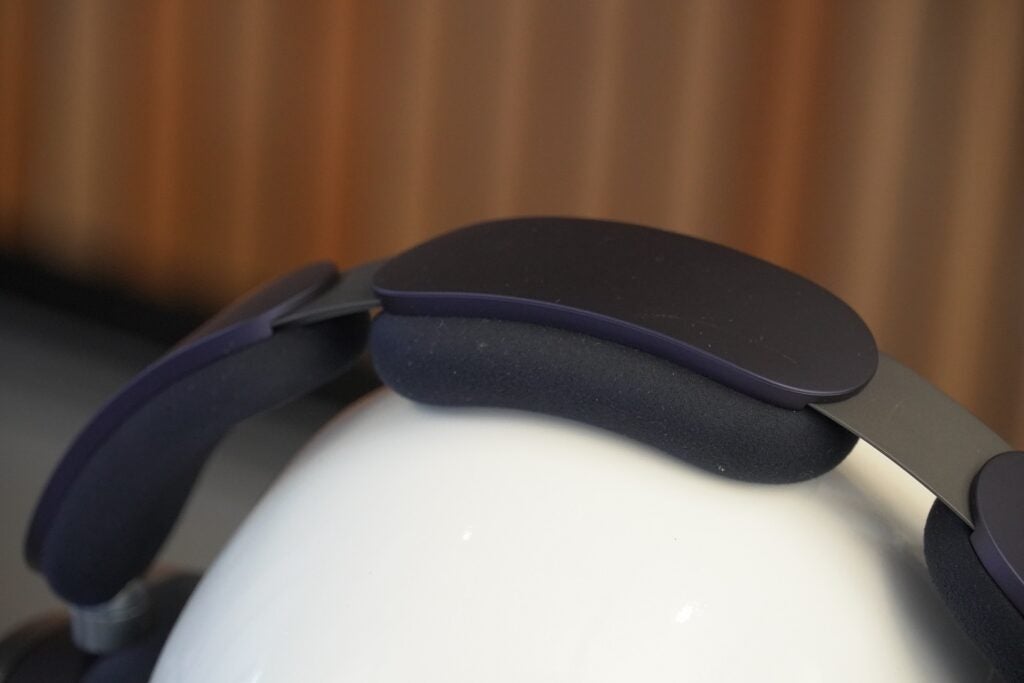
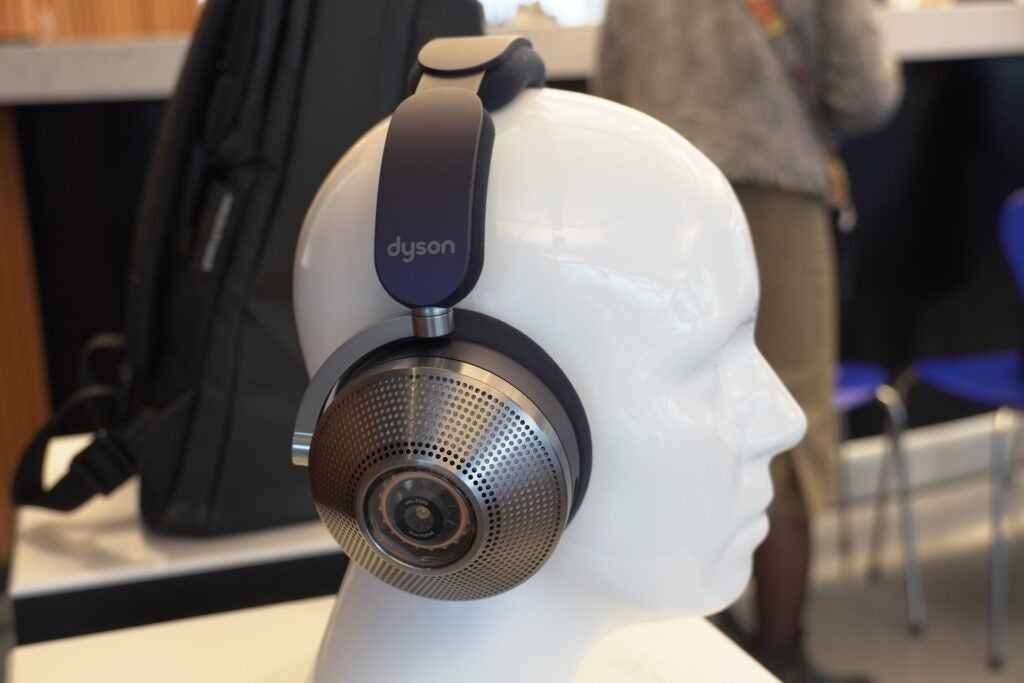
Dicho esto, aunque pesan unos prodigiosos 595 g (670 g con la visera), un peso que puedes sentir al levantarlos, en la cabeza no se sienten tan autoritarios como cabría esperar. El acolchado aquí es muy generoso, suave y flexible alrededor de las orejas y en la parte superior de la cabeza. No hay duda de que puede sentir su presencia (la palabra pluma no sería una descripción adecuada para estos auriculares), pero tampoco se sienten incómodos. La fuerza de sujeción es apretada pero no onerosa y usándolos durante unos 30 minutos, me acostumbré.

Acolchado de diadema Dyson Zone
Crédito de imagen (reseñas confiables)

Aquellos con cabezas más pequeñas pueden encontrar que el tamaño simplemente envuelve sus cabezas, pero a la luz de la gran cantidad de tecnología que Dyson ha instalado solo en los auriculares, es impresionante que se sientan tan cómodos.

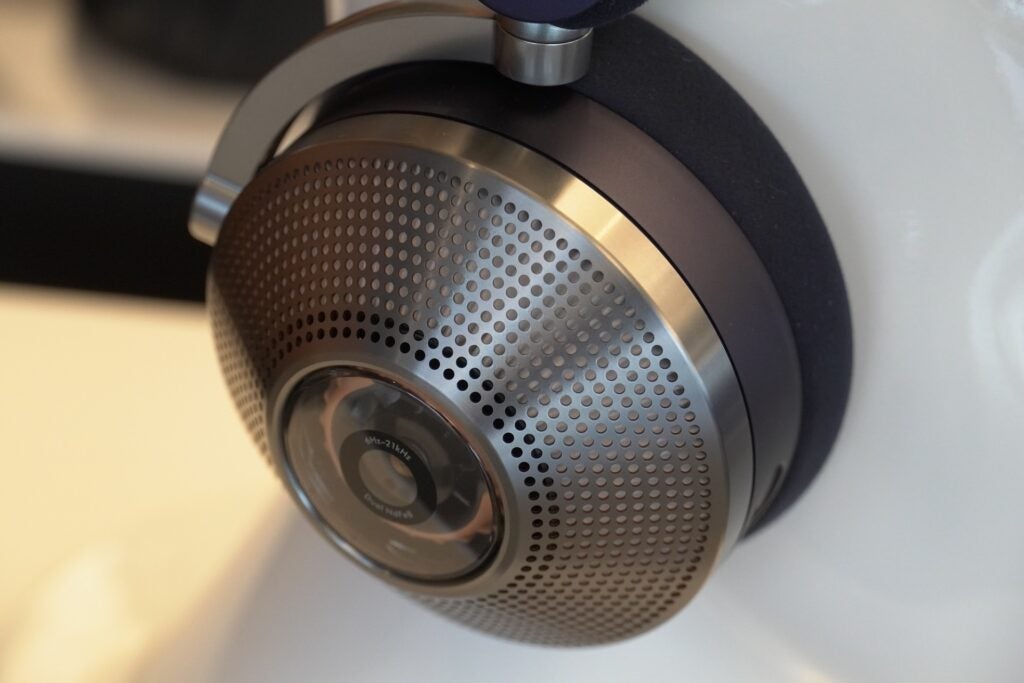
Notarás en los auriculares que hay agujeros perforados en la superficie. Estos no son un signo del diseño abierto de los auriculares (son muy cerrados), pero los orificios necesarios para aspirar aire a través del motor del compresor y luego pasarlo a la visera.

La visera es desmontable y se conecta a los auriculares a través de puro magnetismo: simplemente arrástrelos hacia los auriculares y se acoplarán, mientras que para quitarlos no requiere mucha presión. Puede extenderse o reducirse para adaptarse mejor a su cara y tenga en cuenta que la visera en realidad no toca su cara, solo se sienta frente a su boca/nariz.

“Nací en la oscuridad”

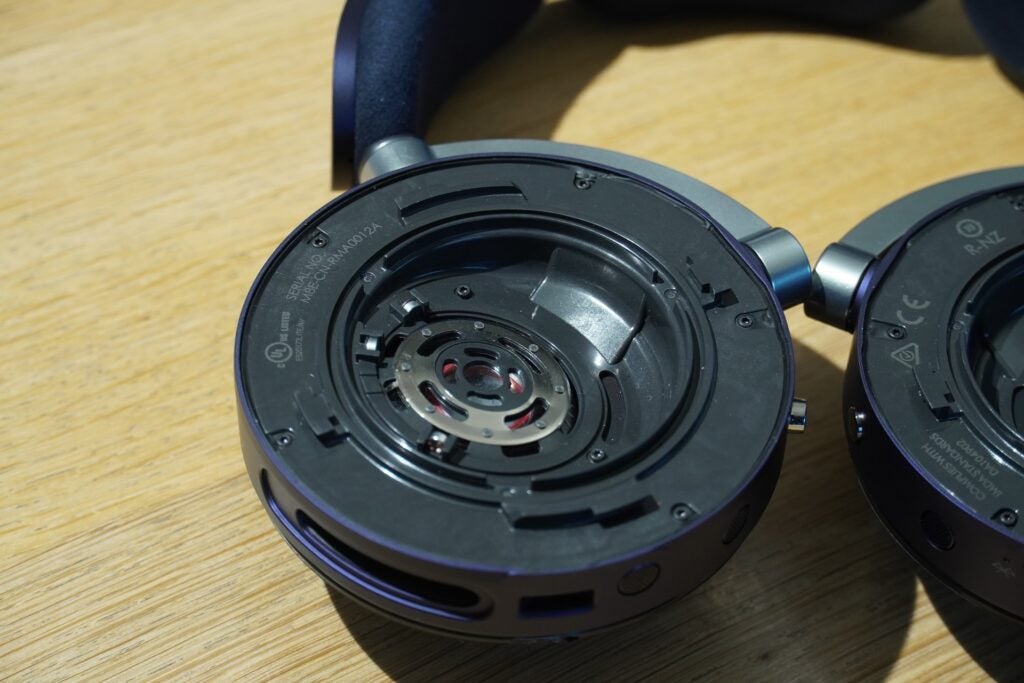
Tan pronto como se coloca la visera, el motor comienza a funcionar, un zumbido suave pero perceptible que se enciende rápidamente y se detiene rápidamente cuando la visera se coloca o se retira. El auricular se puede desmontar para llegar al filtro interior, que puede durar hasta 12 meses antes de que sea necesario cambiarlo.

Utilicé mi teléfono para controlar la música y el volumen, pero hay un botón de encendido/apagado, así como un botón para reproducir y pausar, Zone mantiene la operación simple en el frente. Un doble toque en el centro del auricular izquierdo activa el modo de transparencia/ANC, cuya capacidad de respuesta es lo suficientemente rápida cuando funciona, aunque a veces tomó algunos intentos. El sonido de ese ‘tap’ es más como ‘thunk’ ahora que lo pienso.

Si bien la visera se comparará con Bane de The Dark Knight Rises, también presento el casco Ant-Man de las películas de MCU, tiene una función que tiene sentido incluso si estéticamente parece extraño.

Hay un conflicto curioso, ya que es evidentemente extraño ver una visera en un auricular, pero visto desde la perspectiva de una máscara de filtración de aire, entonces tiene bastante sentido. Ya sea que luzcas como un supervillano o un superhéroe, sácalos en público e imagino que muchas personas estarán mirando.

Crédito de imagen (reseñas confiables)

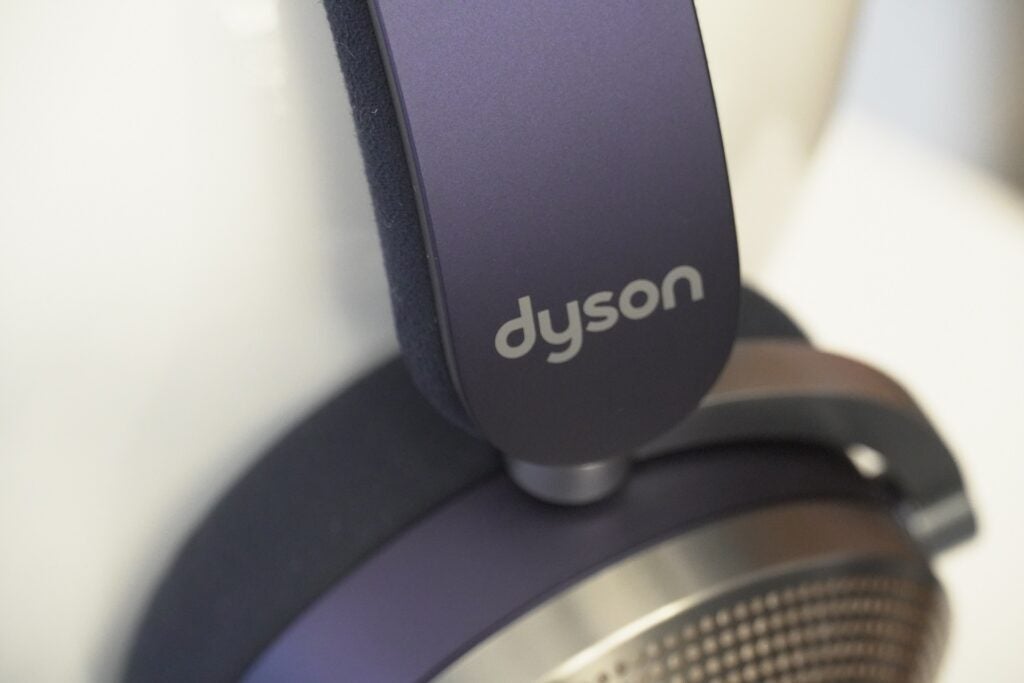
Los auriculares vienen en una variedad de colores, como combinaciones Ultra Blue/Prussian Blue, Prussian Blue/Bright Copper y Satin Blue/Ultra Blue. Me inclino por el azul satinado, pero la versión azul de Prusia también tiene un aspecto agradable.

Los accesorios incluyen un cepillo de limpieza de visera (supongo que esa es la respuesta a lo que haces cuando estornudas mientras los usas), un par de filtros de carbón electrostático, cable de carga USB-C, funda de visera y un estuche rígido Quarter Turn (que como los auriculares ellos mismos está en el lado grande).

La versión Prussian Blue está disponible en Dyson Direct y viene con accesorios extra como un estuche diferente, un kit adaptador In-Flight (parece exclusivo de esta versión) y un estuche blando.

Características

  • Batería de larga duración
  • Cancelación de ruido efectiva
  • Aplicación complementaria fácil de usar

La cantidad de tecnología que se ha instalado en estos auriculares es notable. Durante mi estadía en Dyson, se referían regularmente a la Zona como portátil y es con las características donde esa designación comienza a tener más sentido.

En primer lugar, la cancelación activa de ruido. Hay 11 micrófonos, ocho de los cuales están dedicados a la cancelación de ruido, dos son para reducción de ruido (cuando se habla de llamadas) y uno es para recoger su voz. El Sony WH-1000XM5 solamente tiene ocho.

Los micrófonos de formación de haces se utilizan para extraer la voz durante las llamadas telefónicas, con un algoritmo de ruido del viento y ruido de la multitud para reducir aún más el ruido.

Crédito de imagen (reseñas confiables)

La cancelación de ruido es buena, tal vez no los niveles de supresión de Bose o Sony, pero sin ninguno de esos pares a mano en ese momento, es difícil hacer una comparación directa. Pero en el área (interior) en la que estaba con una habitación que simulaba un entorno de la ciudad de Nueva York, ciertamente disminuyó el ruido hasta donde aún podía escuchar el tráfico, pero la interferencia era mínima. Cambiando al modo de transparencia y existe la sensación de que los sonidos se amplifican claramente sin ruido audible. Bueno, a menos que esté usando la visera con el ventilador funcionando de fondo.

ANC se describe como capaz de eliminar hasta 38 dB de ruido (se afirma que la atenuación total es de 40 dB en total con la reducción pasiva de ruido de los auriculares), los micrófonos monitorean su entorno a 384,000 veces por segundo.

Podía escuchar el zumbido de los motores cuando tocaba música y eran más notorios durante las pausas tranquilas. Ocurrió lo mismo con los videos que vi, aunque para ser justos, el ruido no distrae demasiado. La cancelación activa de ruido siempre está activada cuando se coloca la visera y, si se quita los auriculares por completo, también se incluye la función de pausa/reproducción automática.

Crédito de imagen (reseñas confiables)

El filtro puede capturar gases como NO2, SO2 y O3 (este último es Ozono), purifica el aire y filtra a través del aire fresco a tu boca. El área en la que estaba era bastante fría, por lo que el aire que respiraba también era frío. Presumiblemente, en climas más cálidos, el usuario respirará aire más cálido. Me dijeron que Dyson Zone no ‘enfría’ el aire; si la memoria no me falla, eso requeriría algún tipo de certificación si hiciera eso.

Se admite Bluetooth 5.0 y los códecs de audio inalámbricos incluyen SBC, AAC y LHDC, el último de los cuales es compatible con Huawei, FiiO y 1More. Hubo una mención de LDAC pero no apareció en la hoja de especificaciones finales que me dieron.

La duración de la batería es de hasta 50 horas con la cancelación de ruido activada, lo que la sitúa alrededor de Technics EAH-A800 (50 horas) y Sennheiser Momentum 4 Wireless (60 horas). Agregue el visor y la duración de la batería se reduce significativamente, cuatro horas con flujo bajo (la velocidad a la que se filtra), 2,5 horas con flujo medio y 90 minutos con velocidades de purificación de flujo alto. El tiempo de carga desde 0% toma tres horas.

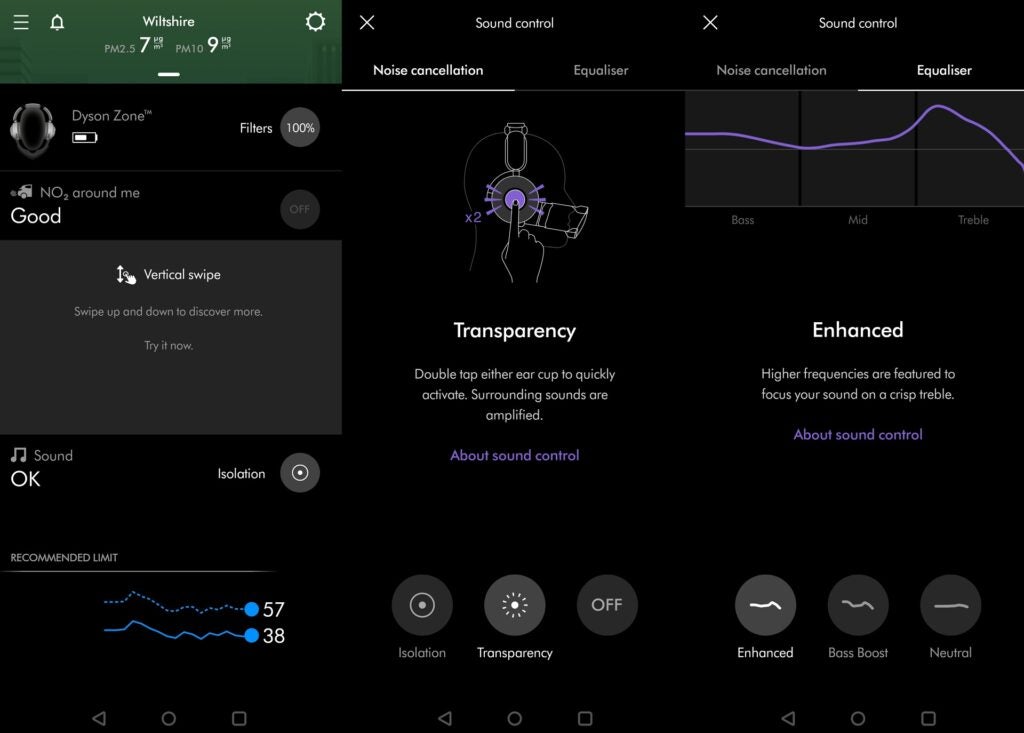
Hay una aplicación complementaria en la aplicación My Dyson que le permite ver qué están haciendo todos los sensores y micrófonos de los auriculares. Deberá registrar una cuenta para usar la aplicación y los datos que se ofrecen son considerablemente más de lo que obtendría con un par de auriculares “normales” y por qué la etiqueta portátil parece efectiva.

Crédito de imagen (reseñas confiables)

Puede ver la cantidad de ruido con el que está siendo bombardeado tanto dentro del oído como desde el exterior, y la aplicación le indica si la cantidad de ruido ha superado el límite recomendado. La aplicación también puede mostrar los niveles de óxido de nitrógeno a tu alrededor, así como la vida útil restante de los filtros dentro de los auriculares.

Hay personalizaciones o ‘preferencias’, como poder pausar el audio cuando se baja la visera o activar un limitador de ruido que limita el nivel de audio a 85dB. Técnicamente, cualquier cosa por encima de ese volumen puede causar daño auditivo cuando se escucha durante períodos prolongados.

Puede administrar los modos de cancelación de ruido y las opciones de ecualización (tiene tres opciones en Mejorado, Refuerzo de graves y Neutro), pero no puede crear un ecualizador personalizado. Lo que es más importante, ofrece una experiencia de usuario rápida y los datos se presentan de una manera visual y fácilmente digerible.

Calidad de sonido

  • Tono nítido y limpio
  • Escenario de sonido expansivo
  • buena dinamica

No hay mucho que decir sobre el audio, principalmente porque el período de tiempo más largo que pasé escuchando con los auriculares no fue la versión final.

A primera vista, los auriculares suenan muy espaciosos, el escenario sonoro se describe ampliamente y el tono es de una claridad nítida. Es atractivo en términos de dinámica (en el sentido de silencioso y fuerte), detallado pero quizás carente de un grado de definición adicional en la forma en que describe las formas de los instrumentos. Tampoco fue la actuación más enérgica, predominantemente hasta el bajo que carecía de fuerza y ​​parecía un poco regordete.

Crédito de imagen (reseñas confiables)

Pero pude escuchar la versión final sintonizada brevemente, pero incluso desde ese breve tiempo, la versión final sonó como un avance definitivo. Dyson había corregido los problemas con el bajo, que ahora tenía una calidad muy directa y contundente que se hizo sentir al escuchar la versión de Takuya Kuroda de Everybody Loves the Sunshine. Los choques de platillos se definieron nítidamente, el escenario sonoro era muy espacioso y detallado, con voces bien definidas y provistas de una gran cantidad de claridad. Esta fue una actuación mucho más equilibrada y agradable.

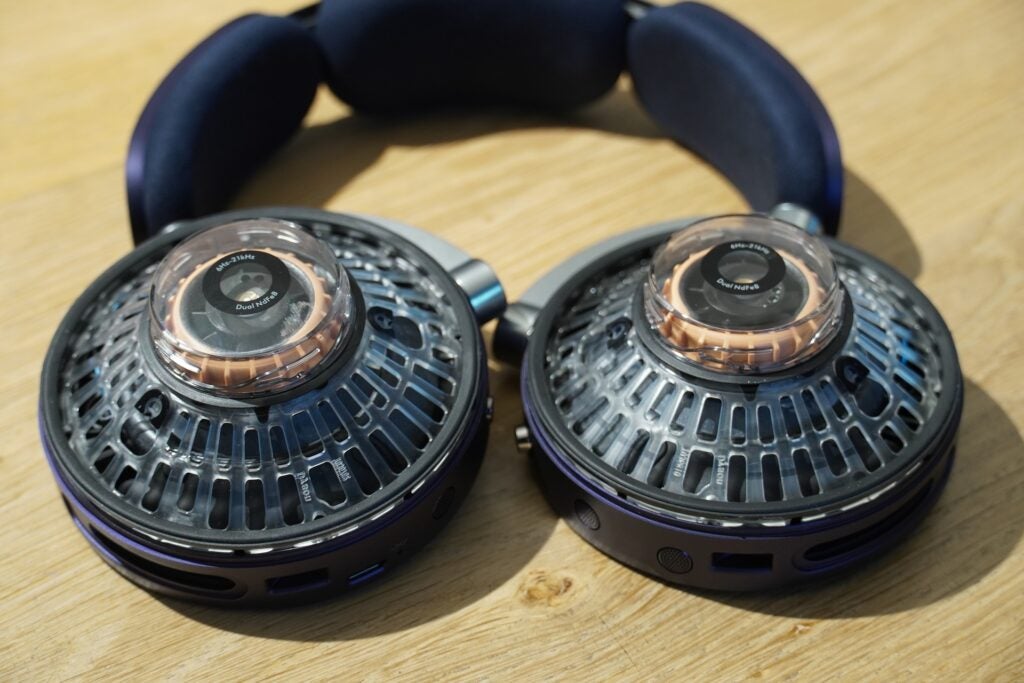
Dyson Zone cuenta con controladores de neodimio de 40 mm que se han inclinado para proporcionar un escenario de sonido más natural al disparar audio hacia el oído (Bowers & Wilkins implementa un método similar con sus auriculares Px7 S2 y Px8). El rango de frecuencia cubre de 6 Hz a 21 kHz, lo que debería ayudar a proporcionar una salida de baja frecuencia enfática y un rendimiento de alta frecuencia ligeramente más nítido.

Crédito de imagen (reseñas confiables)

Su tono nítido y limpio se debe a los bajos niveles de distorsión que producen los auriculares, con un THD (distorsión armónica total) de menos del 0,08 % a 94 dB a 1 kHz, lo que significa que hay muy poco ruido de señal para escuchar con los Dyson. Zona

Dyson ha admitido que han adoptado un enfoque científico al producir el sonido de estos auriculares, y eso les da una sensación analítica. Algunos pueden preferir esto a los auriculares que se sienten cálidos o ricos como el WH-1000XM5. Podría decir que hay auriculares que suenan más emocionantes que los Dyson, pero buscan una reproducción fiel de la música y, al menos desde este vistazo de lo que pueden hacer los auriculares, están en el camino correcto.

Primeras impresiones

Dyson Zone no puede evitar sentirse extraño: un auricular y un sistema de filtración de aire juntos parecen extraños al principio, pero, sorprendentemente, funcionan.

Si pasará la prueba visual para algunos es otra cuestión. Debo admitir que usar los auriculares me hizo sentir cohibido; tal vez Dyson Zone es una prueba de Rorschach y en realidad soy una persona superficial. Aunque pueden verse raros, y solo se ven menos raros cuando están rodeados de otras personas que también lo usan, hay una cierta cantidad de sentido en la lógica de Dyson aquí.

Con Zone, Dyson ha llevado su tecnología de purificación de aire fuera del hogar y, como ha estado en desarrollo durante seis años (esto estaba en proceso mucho antes de la pandemia), Dyson claramente ha pensado en el concepto y se ha comprometido completamente con él.

Sí, te ves tonto y sí, se siente extraño, pero lo más importante es que funciona. No hay auriculares como estos en el mercado y, al mismo tiempo, son más que unos auriculares. Es una tecnología fascinante y muy pronto veremos cómo funciona en el mundo real.

PVP Reino Unido

Fabricante

Clasificación del IP

Horas de batería

Tamaño (Dimensiones)

Peso

Fecha de lanzamiento

Resolución de audio

conductor(es)

Ruido…

Sony HT-A7000 Soundbar and SA-SW3 Wireless Subwoofer Review: Big and Powerful Sound at Home

If you’re shopping for a high-end home entertainment audio system and you have a generous budget, there isn’t any shortage of options. Many people would opt for a multi-speaker system powered by a proper home theatre amplifier, but this also involves a complicated setup and installation process, including mounting the speakers and running power and audio cables around your room. You might therefore want a soundbar for its ease of setup and use, even if you’re willing to splurge a bit.

The Sony HT-A7000 soundbar is meant for exactly that kind of customer. Priced at Rs. 1,49,990, this is a premium 7.1.2-channel single-bar speaker system that promises premium performance, with support for Dolby Atmos and DTS:X, Bluetooth and HDMI connectivity, Dolby Vision and 8K HDR pass-through, and more.
Along with the optional Sony SA-SW3 wireless subwoofer (priced at Rs. 29,990) which I’ve also reviewed here, this setup could make for a promising home theatre system with a convenient physical footprint. Is this the best premium soundbar system you can buy right now? Find out in this review.

The Sony HT-A7000 soundbar has two top-firing overhead channel speakers along with a built-in subwoofer.


Sony HT-A7000 soundbar and SA-SW3 subwoofer design and specifications

The Sony HT-A7000 7.1.2-channel soundbar can be purchased as a standalone device and is priced at Rs. 1,49,990 in India. However, Sony also sells it as a bundle with additional speakers. You can buy this soundbar with the SA-SW3 subwoofer (Rs. 29,990) or SA-SW5 subwoofer (Rs. 61,990), and SA-RS3S wireless rear speakers (Rs. 35,990) to expand your setup.

For this review, I used the Sony HT-A7000 with the Sony SA-SW3 wireless subwoofer. This combination is available directly from Sony as a bundle at a promotional price of Rs. 1,50,980 at the time of this review, which is just a bit higher than the cost of the HT-A7000 on its own. You can add the wireless speakers if you like as a separate purchase, but this will make setup and installation a bit more complicated, since they need to be placed alongside or behind your seating area. The soundbar and subwoofer alone were fairly easy for me to set up myself, with both positioned near my television and drawing power from the same socket board.

The Sony HT-A7000 bar speaker is quite large and heavy at 8.7kg. It’s roughly the same length as a typical 55-inch television, and also wide enough that it needs to be placed on a large table or home entertainment unit. The size (and price) of the HT-A7000 means that it is best paired with a premium television, and its built-in connectivity and amplification mean that you don’t need an AV receiver or home theatre amplifier.

The bar speaker itself looks premium and very attractive, with a metal grille, glossy surface at the top, and fabric covering the two top-firing overhead channels. The touch controls for power, Bluetooth connectivity, signal source, and volume are on the top of the soundbar. The front of the HT-A7000 has a small monochrome display that indicates its power status, the source that’s in use, and volume levels. The display was a bit hard to read from a distance, but it’s more than adequate for the purpose it serves.

The Sony SA-SW3 subwoofer has a rated output of 200W


A remote is bundled with the Sony HT-A7000, and has detailed controls for navigation, display, subwoofer volume adjustment, and sound mode selection, among other things. Also included in the sales package are the power cord for the soundbar, a 3.5mm audio cable for wired connectivity, and an HDMI cable.

The Sony HT-A7000 is a 7.1.2-channel speaker system with five front speakers, two beam tweeters, two top-firing overhead-channel speakers, and a built-in subwoofer. This soundbar has a total rated power output of 500W. The SA-SW3 subwoofer has a rated output of 200W, and wireless connectivity with compatible Sony products, including the HT-A7000, is easy to set up.

Connectivity options on the Sony HT-A7000 include two HDMI inputs, one HDMI output with ARC/eARC support, an analogue stereo jack, optical audio input, and a USB Type-A port. You can therefore simultaneously connect two source devices such as streaming devices, gaming consoles, or Blu-ray players directly to the HT-A7000, which can then connect to your TV or projector using HDMI ARC or eARC. The HT-A7000 supports video signal pass-through up to the Dolby Vision, 4K-120Hz, and 8K HDR formats, so this speaker is future-ready and capable of handling most current source devices.

Alternatively you can simply use the optical audio input or the HDMI ARC connection to your TV to receive audio. I used the Sony HT-A7000 with different smart televisions during my review, relying on HDMI ARC for the sound signal, and it worked as expected. Various sound formats up to Dolby Atmos and DTS:X are supported by the HT-A7000, along with Sony’s own DSEE Extreme, Vertical Surround Engine, and 360 Reality Audio enhancement features.

The Sony HT-A7000 has Bluetooth 5 connectivity, with support for the SBC, AAC, and LDAC Bluetooth codecs. There is also Wi-Fi, which enables Google Assistant, Apple AirPlay 2, Spotify Connect, and built-in Chromecast audio support. HDMI CEC is supported, letting you use your connected devices to control the soundbar.

The Sony SA-SW3 wireless subwoofer has a dull, patterned texture on the top and sides, and fabric covering its front. The back has buttons for power and wireless linking, and a socket for the included power cable. The front of the subwoofer has a small indicator light, which shows the power and connectivity status of the device.

This subwoofer only connects wirelessly to compatible Sony audio systems such as the HT-A7000 soundbar. The process was simple and the connection was stable throughout my time with these two units. It isn’t possible to adjust the subwoofer volume directly from the SW3 itself, and I needed to use the remote of the HT-A7000. This was often necessary given the sheer power of the subwoofer.

Connectivity options on the Sony HT-A7000 include HDMI with ARC/eARC support, Bluetooth, Wi-Fi, and more


When connected to a display, you can open up the visual interface of the Sony HT-A7000 to select source devices, adjust settings, and explore and activate the various connectivity options. This was also necessary to calibrate the audio according to my room environment, link the SA-SW3 subwoofer to the bar speaker, and change the audio format and basic sound settings for proper listening. It’s a good, clean interface that works well for its purpose.

Sony HT-A7000 soundbar and SA-SW3 subwoofer performance

Looking beyond its design, connectivity options, and raw specifications, the Sony HT-A7000 is quite a beast when it comes to performance. It was very easy for me to set up and operate, and although there was a small learning curve and certain tweaks needed to be carried out, I quickly managed to get the HT-A7000 and SA-SW3 performing at the kind of level that I expected of a soundbar system that costs over Rs. 1,50,000.

I used the Sony HT-A7000 and SA-SW3 primarily as a sound system for my television while watching various movies and TV shows across audio formats including Dolby Audio, 5.1 surround, and Dolby Atmos, relying on HDMI ARC for connectivity. I also occasionally used Apple AirPlay and Bluetooth to stream music.

Of all the movies and TV shows I watched while using the Sony HT-A7000 soundbar and SA-SW3 subwoofer, Dune on Amazon Prime Video was perhaps the most memorable, even though it didn’t use any advanced audio format. Initially, the deep, rumbling soundtrack put the subwoofer to good use, but with absolutely no adjustments, voices sounded too soft and got lost in the atmospheric background sounds and intense action sequences of the movie.

This was quickly and easily fixed by turning off the DSEE Extreme mode, enabling the Auto Volume adjustment setting, and setting the Voice Dynamic Range feature to ‘Auto’. This allowed the soundbar to tweak sound levels to suit whatever was being played, on the fly. Indeed, it adjusted itself quickly and dynamically to suit softer voices in scenes as needed. This did tend to affect soundtracks a bit adversely, particularly the opening credits, which sounded a bit strange. However, vocals and action sequences sounded very good.

The physical controls for the Sony HT-A7000 are on the top 


There were times when I needed to lower the subwoofer volume, which at high levels, was occasionally overpowering with its intense bass. Once all of these initial setup issues were tackled, I was truly able to enjoy the loud, intense, atmospheric, and immersive sound that the Sony HT-A7000 and SA-SW3 produced. I did still occasionally need to tweak the subwoofer volume, but these adjustments were quick and easy, and entirely worth it to allow the HT-A7000 to work well with the content being played.

Indeed, my experience with Dune considerably more fun than when relying on only the Philips 55PUT8115/94 television’s – or rather most televisions’ – basic speaker system. The audio quality and sound experience of the Sony soundbar also far outclassed the picture levels that this particular Philips TV managed, which is why I mentioned in the beginning that it’s best to match this speaker setup with a TV of similar stature for the best home cinema experience.

At moderate volume levels, the sound from the Sony soundbar and subwoofer felt strong and engaging, while even at lower volume levels, casual content such as sitcoms or late night viewing were perfectly enjoyable.

Dune also let me try the native sound post-processing modes, including Dolby Speaker Virtualiser and DTS Neural:X. There’s a third mode called ‘Sound Mode On’ which presumably preserves the original source audio without adding any enhancements. DTS Neural:X was perhaps the more impressive of the two post-processing modes, adding much more atmospheric aggression and mood to the sound. The Dolby Virtualiser mode kept things a bit more uniform and soft, while still enhancing vocals.

Priced at over Rs. 1,50,000, the Sony HT-A7000 and SA-SW3 bundle is expensive, but performance is excellent


Sound Mode On was best used with Dolby Atmos content to ensure no changes were made to the sound signal. With Our Great National Parks on Netflix, performance was excellent as there was decent virtualised surround sound despite the lack of physical rear speakers. The sounds of nature, particularly flowing water and the chirping of birds, had a distinct sense of directionality and a wide soundstage that was impressively audible at the sides and above where I was sitting.

Even without the Sony SA-SW3 subwoofer, the Sony HT-A7000 delivered excellent sound, albeit with expectedly less low-end grunt. I wasn’t disappointed with the bass levels, but I definitely felt that the SW3 subwoofer added some useful and helpful attack and punch to the sound, particularly in intense movies and TV shows, and even music. The ‘Immersive AE’ mode improved the soundstage both vertically and horizontally, but seemed to make the overall sound a little less cohesive and sharp, particularly voices.

Music sounded surprisingly good on the Sony HT-A7000 and SA-SW3, thanks to their sheer power and attack. The tuning of the drivers naturally favours movies and TV shows, but that said, it’s a workable option for occasional music listening.

Audio quality was expectedly better with AirPlay and Chromecast than Bluetooth, but I did face some connectivity bugs with AirPlay which caused music to stop or the soundbar to not respond to playback controls on my iPhone on occasion. Bluetooth was more stable in terms of connectivity, and LDAC Bluetooth codec support made for decent sound quality when used with an Android smartphone.

Verdict

It can be argued that a soundbar will never quite match up to a proper surround sound system, but a very good soundbar still has enough potential to make the difference somewhat irrelevant. The Sony HT-A7000 is quite impressive, enhancing the sound experience across genres and content, and adding useful post-processing and specific tuning where necessary. Combined with the Sony SA-SW3 subwoofer, this is a formidable home theatre system but is still easy to set up and operate.

That said, it’s undeniably very expensive at around Rs. 1,50,000 for the combo; perhaps more than it needs to be given that you can get soundbars that are also very good, such as the Sony HT-Z9F, for considerably less. However, if money…

.

Samsung Galaxy Book 2 Pro 360 (13.3-inch) Review: The Price of Portability

It’s surprising that Samsung has taken so long to launch laptops in India. The brand is highly regarded and has a huge network of stores as well as service centres. In addition to its thriving smartphone ecosystem and home appliance lines, Samsung is one of the top global brands when it comes to monitors and solid-state storage. It also supplies components to some of the world’s biggest brands. We’ve seen Samsung laptops at international trade shows, and now the first models have finally come to India. The portfolio is relatively small for now, but the company tells us that more models and variants are on the way, from entry-level to gaming.

For now, I have a premium ultraportable 2-in-1 model to review, the Samsung Galaxy Book 2 Pro 360. It’s available in 13.3-inch and 15.6-inch models, weighing just 1.04kg and 1.41kg respectively. There’s also a standard clamshell offering, the Galaxy book 2 Pro, which is even lighter, starting at just 870g, for those who don’t want a 2-in-1. It should be interesting to see how Samsung sets itself apart in a market with several established as well as new brands, so read on.

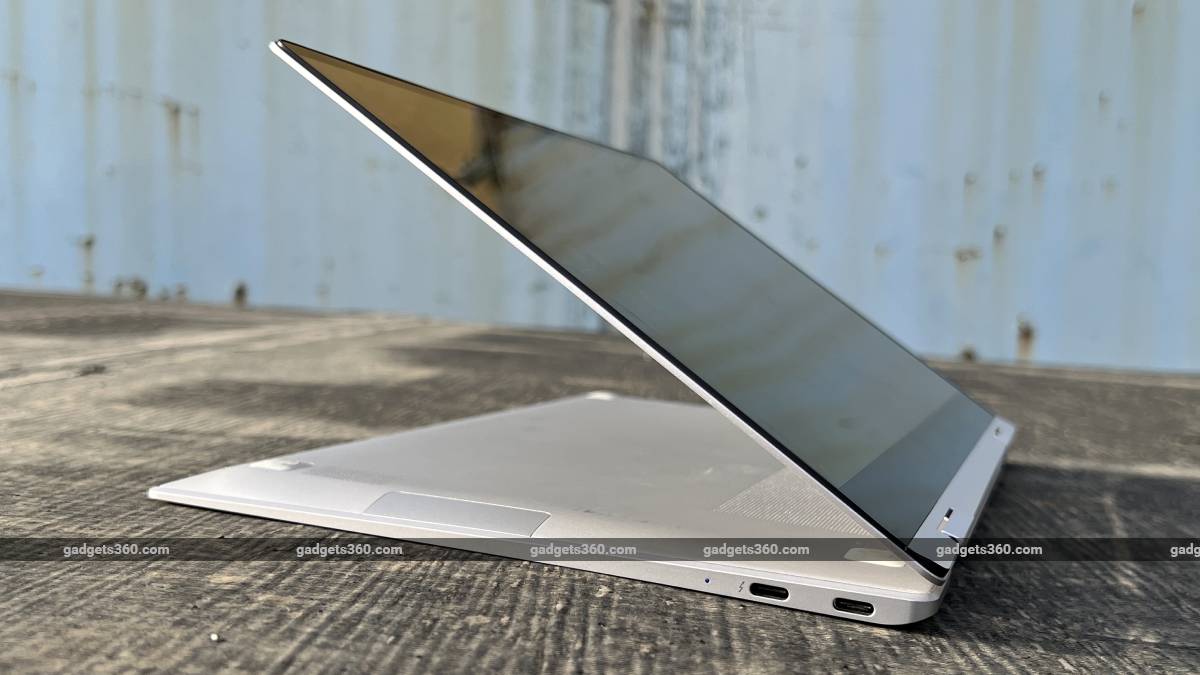
The Galaxy Book 2 Pro 360 can be used in “stand” mode with its screen flipped around to be easier to reach


Samsung Galaxy Book 2 Pro 360 (13.3-inch) price in India

Samsung has several options listed on its website. There’s just one configuration with a 15.6-inch screen. It’s priced at Rs. 1,29,990 with an Intel Core i7 CPU, and it’s only available in Graphite. The 13.3-inch models are all available only in Silver, and you can choose between a Core i7 CPU for Rs. 1,20,990 and a Core i5 CPU for Rs. 1,15,990.

The Galaxy Book 2 Pro is also offered in the same two screen size options, and there’s also only one 15.6-inch option at this time. As for the 13.3-inch versions, the prices are Rs. 1,06,990 for a unit with a Core i5 CPU and Rs. 1,14,990 for a Core i7 CPU, both in Silver.

At its global launch, Samsung had announced that the Galaxy Book 2 Pro 360 in both sizes would be available with either CPU and in Silver as well as Graphite, with an additional Burgundy option for the smaller model, so these options might pop up later. You can claim a pair of Galaxy Buds 2 true wireless earphones for Rs. 999 with each purchase and get Rs. 5,000 cashback if you’re a customer of a certain bank.

The keyboard layout is uncomplicated and the trackpad is quite large


Samsung Galaxy Book 2 Pro 360 (13.3-inch) design

2-in-1s tend to be somewhat bulky and unwieldy when folded into tablet mode, but the Samsung Galaxy Book 2 Pro 360 might actually be thin and light enough to be practical to use as a tablet. It weighs just 1.04kg and is only 11.5mm thick (when folded closed). It’s comparable to the current-gen MacBook Air (Review) in terms of size and volume, but is noticeably lighter. This laptop will easily slip into any shoulder bag or backpack and I could carry it around with me all day without feeling fatigued. The Intel Evo badge indicates that Samsung has gone through Intel’s certification process to hit certain targets in terms of performance and portability.

Build quality is solid too. The all-metal body feels sturdy and the hinges are stiff yet smooth. You can flip the lid around in one smooth motion and you only need one finger to raise it. You don’t need to hold the base down to lift the lid, which is often the case with ultraportable laptops, but it takes a bit of effort because of the strong magnets holding the lid closed.

The back of the keyboard deck curves downwards where it meets the hinges, and the chin of the monitor curves forward to lie flat against it when closed. However, this means that when flipped around into the tablet position, there’s a pronounced edge right where you’d naturally hold the Galaxy Book 2 Pro 360, so it dug into my palm a little. This is also where you’ll find a large exhaust vent – but more on that later.

The slim chassis only allows for Thunderbolt and USB Type-C ports, but the microSD slot and 3.5mm jack are also useful


Samsung has gone with a completely plain matte brushed metal finish for the lid, and there’s a relatively small off-centre brand logo. This gives the Galaxy Book 2 Pro 360 quite a premium look. The lid did get a bit smudged after a week or two of regular use, but you can wipe it clean with a damp cloth. You’ll notice two dots, which are the stereo microphones, on the narrow side of the lid.

The 13.3-inch touchscreen has a relatively thick black chin, and Samsung could have gone with a 16:10 panel rather than 16:9 to use this space more effectively. The top and side borders are relatively slim, but even so there’s space for a webcam at the top. This device is too slim for most types of ports but you do get one Thunderbolt and one USB Type-C port on the left along with a charging status LED, and there’s another Type-C port on the right as well as a microSD card slot and 3.5mm audio socket.

The keyboard layout is fairly standard. The arrow keys are compressed into one row but they are at least wide and spaced out. The power button in the upper right corner has an integrated fingerprint sensor. This placement is a bit surprising – 2-in-1s usually have their power buttons on the side so they aren’t easy to press accidentally in tablet mode or inaccessible in stand mode. The entire keyboard is disabled when the hinge is pushed back beyond 180 degrees, including the power button and therefore the fingerprint sensor.

Samsung includes a stylus in the box but there’s no way to attach it to the Galaxy Book 2 Pro 360 so you’ll have to carry it around separately and remember not to leave it behind anywhere. You also get a smartphone-like 65W wall-wart charger and a fairly long USB Type-C cable with this device. The charger is unfortunately quite wide, and it blocked adjacent sockets on my power strip.

The Galaxy Book 2 Pro 360 is surprisingly slim and light, but still feels solid


Samsung Galaxy Book 2 Pro 360 (13.3-inch) specifications and software

You can choose between Intel Core i5-1240P and the Core i7-1260P CPU. Both are 12th Gen models based on Intel’s ‘Alder Lake’ architecture. The P-series is aimed at high-end thin-and-lights, which is exactly what the Galaxy Book 2 Pro 360 is. This is part of a new naming convention, representing a 28W target TDP (which is configurable by each laptop manufacturer). Interestingly, both the Core i5 and Core i7 option have the same core count – four “performance” cores with Hyper-Threading and eight “efficient” cores. The Core i7, which I have in my review unit, runs faster at up to 4.7GHz. It also has more total cache memory and a more powerful integrated Intel Xe GPU with more execution units that run a little faster, compared to its Core i5 sibling.

Samsung has gone with 16GB of LPDDR5 RAM and a 512GB NVMe SSD as standard across both variants. LPDDR5 RAM by nature is soldered and not upgradeable, but the SSD appears to be a standard M.2 module (manufactured by Samsung itself, of course). The battery capacity is 63Wh. You also get Bluetooth 5.1 and Wi-Fi 6E. The webcam has a 1080p video resolution.

The 13.3-inch touchscreen uses an AMOLED panel and has a standard 1920×1080 pixel resolution. Samsung’s spec sheet says nothing about HDR compatibility but the Windows 11 settings contain options not only to enable it for video playback but also to attempt to enhance games. This allowed for flawless HDR video playback on YouTube, but other services might have their own compatibility requirements. For sound, there are stereo speakers with Dolby Atmos.

The Samsung Galaxy Book 2 Pro 360 (13.3-inch) comes with Windows 11 and a surprising amount of preinstalled software. For starters, you get a full Microsoft Office Home & Student 2021 license. There’s also a McAfee Live Safe trial, which constantly threw up annoying ads using scare tactics to try to make me subscribe. Clip Studio is an app that lets you sketch with a stylus, and you get a trial of this as well. Then there’s Facebook Messenger, Spotify, Prime Video, Instagram, Google Duo (as a pinned download link), and more.
The main issue however is the huge number of Samsung’s own apps and features that are shoved in. Several of these run constantly in the background and many are poorly designed or seem to duplicate Windows functions for no reason. My unit had over 20 Samsung apps, some of which were Bixby, Notes, Gallery, Flow, Studio Plus, Air Command, Galaxy Book Experience, Smart Switch, S Service, PenUp, Private Share, Quick Share, Quick Search, File Tracker, SmartThings, and Second Screen.

I didn’t go through what each and every one of them does, but I was forced to deal with some of them – for instance, after initial setup, Samsung Update offered me a few driver patches that the Windows Update utility didn’t. Some of these apps are meant to offer functions that you’d expect of phone apps, while some integrate with Samsung’s other hardware including tablets and phones, to create an Apple-esque ecosystem. I can see the potential use of Second Screen and Quick Share, but I wish the experience wasn’t so fragmented and messy.

The inside of the lid is slightly thicker at the bottom, and you can feel this edge when holding the device buy its edge in tablet mode


Samsung Galaxy Book 2 Pro 360 (13.3-inch) performance

The Galaxy Book 2 Pro 360 is about as compact as laptops can be today without severely sacrificing performance or features. This is what will really make people take a second look – just pick it up and you can immediately tell how convenient it will be to carry around every day, compared to any mainstream laptop from the past few years. The keyboard and trackpad are quite comfortable. I wasn’t especially impressed with the webcam, but it will do just fine for work-related video calls.

The main usability issue became evident after just a few minutes’ casual use. Even when sitting idle, the middle of the Fn key row and the metal area above the keyboard were noticeably warm. Simple tasks such as using Windows Explorer or copying files off an external SSD made the Galaxy Book 2 Pro 360 heat up. It was much less comfortable to work with this laptop on my lap than, for example, a MacBook Air. Under heavy load and even when charging, parts of this laptop were actually too hot to touch for more than a second or two.

As stated earlier, the placement of the exhaust vent means that hot air will shoot directly into your palm if you hold this device by its long edge when in tablet mode. The hot area around the keyboard will be what rests against your body when it’s folded around. It became a bit awkward to use the Galaxy Book 2 Pro 360 when lying down or relaxing – it’s best placed on a table in either laptop or stand mode (with the keyboard acting as a base).

All this means that despite its outstanding portability, this isn’t the easiest device to work with when commuting, and it is significantly less convenient as a tablet than an Android device or iPad. It’s still a pleasure to not be weighed down while commuting, and you’d be able to have it handy in places and situations that you might not currently be used to carrying a laptop to, but there are limits to its usefulness.

Aside from that, performance was snappy and there’s more than enough power here to get all your everyday work done, plus a bit of light entertainment. Whether for professional or personal use, today’s PC user needs to multitask heavily, take video calls, and spend a lot of time online. The Galaxy Book 2 Pro 360 managed all of that quite handily in my time with it.

The Galaxy Book Pro 2 360 has a simple but premium-looking metal exterior


The AMOLED touchscreen is not too reflective and it’s crisp enough, with colours that pop nicely and very wide viewing angles. Videos looked good, and enabling HDR manually will let you enjoy HDR content as well. Sound from the stereo speakers is unfortunately thin and a bit harsh when listening to music, but voices come through clearly.

Windows’ UI scaling is set to 150 percent by default, which works if you’re planning to use this as a tablet, but I much preferred the density of content 125 percent. The screen does wobble a bit when touched, which is normal for such slim laptops. As a tablet, other than ergonomic issues, this device is still quite responsive and easy to use. The stylus is not active and doesn’t need to be paired or kept charged. It works well enough for scribbling notes and doodling but pro users might want something more…

.

Samsung UE65BU8000 Review | Trusted Reviews

On paper, this TV packs plenty of value, but the performance isn’t quite there. Slim design, lots of apps and decent features are highlights, but they’re counterbalanced by an underwhelming picture and sluggish interface.

Pros

  • Slim, easy-to-assemble design
  • Plenty of entertainment apps
  • Affordable asking price for a 65-inch TV

Cons

  • Sluggish interface
  • Muted colour performance
  • 2021 Samsung models are still available and cheaper

Availability

  • UKRRP: £799
  • USAunavailable
  • EuropeTBC
  • CanadaTBC
  • AustraliaTBC

  • AirSlim designThin profile design for wall-mounting

  • ProcessorCrystal Processor 4K for clearer picture, colourful images

  • Q Symphony Lite + OTS LiteUse physical and virtual speakers to track sounds on screen

Introduction

Samsung’s QLED and QD-OLED TVs grab the limelight, but it’s the Korean brand’s most affordable TVs that shift in big numbers into the homes of customers around the world.
Now, we have the UE65BU8000, the step-down model from the BU8500 – both of which are new sets in Samsung’s affordable Crystal UHD range.

The key here is a combination of performance and value. So, has Samsung achieved the perfect balance with the BU8000?

Design

  • Edge-lit screen
  • Slender proportions
  • Quick to assemble
  • Reflective screen

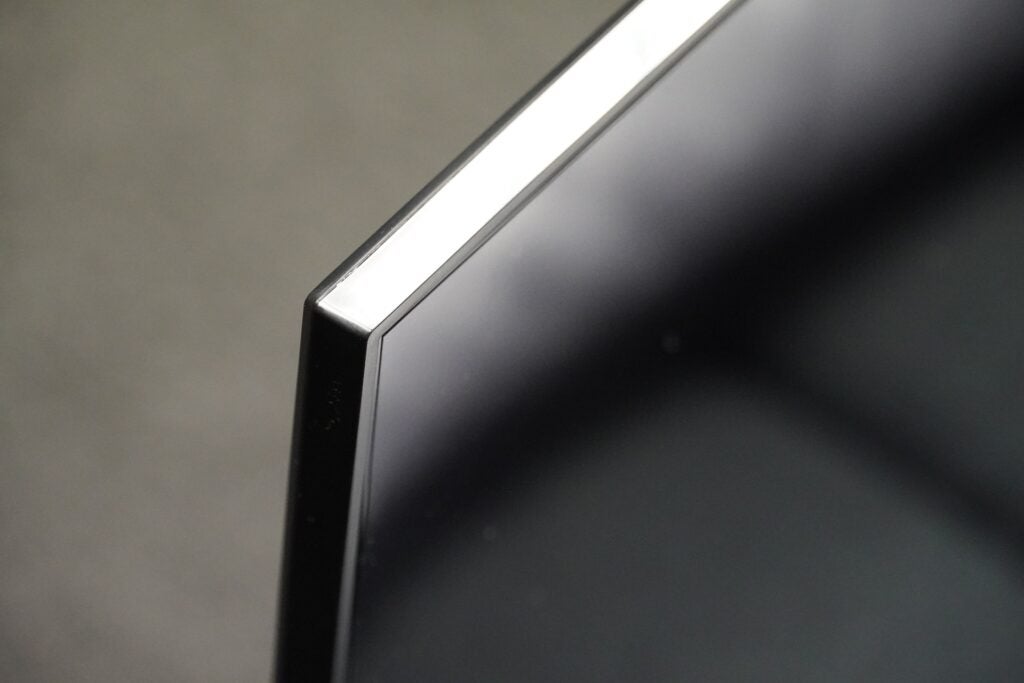
Samsung’s obsession with slimness carries over to its Crystal UHD series, as the UE65BU8000 has a depth of 25.7mm. In comparison, LG’s supposedly slim 65-inch C2 OLED is 45.1mm at its thickest point.

The Samsung TV’s skinniness is aided by an Edge Lit screen, where an array of dimming LEDs that brighten and darken the screen are positioned around its edges. The BU8000 would seem a prime candidate for wall-mounting, but it mucks things up a bit with the placement of its connections.

Most are side-facing – which helps with routing cables – but an HDMI port and digital optical out are rear-facing, so if you want to connect a third source, you may need one of those right-angled HDMI connectors.

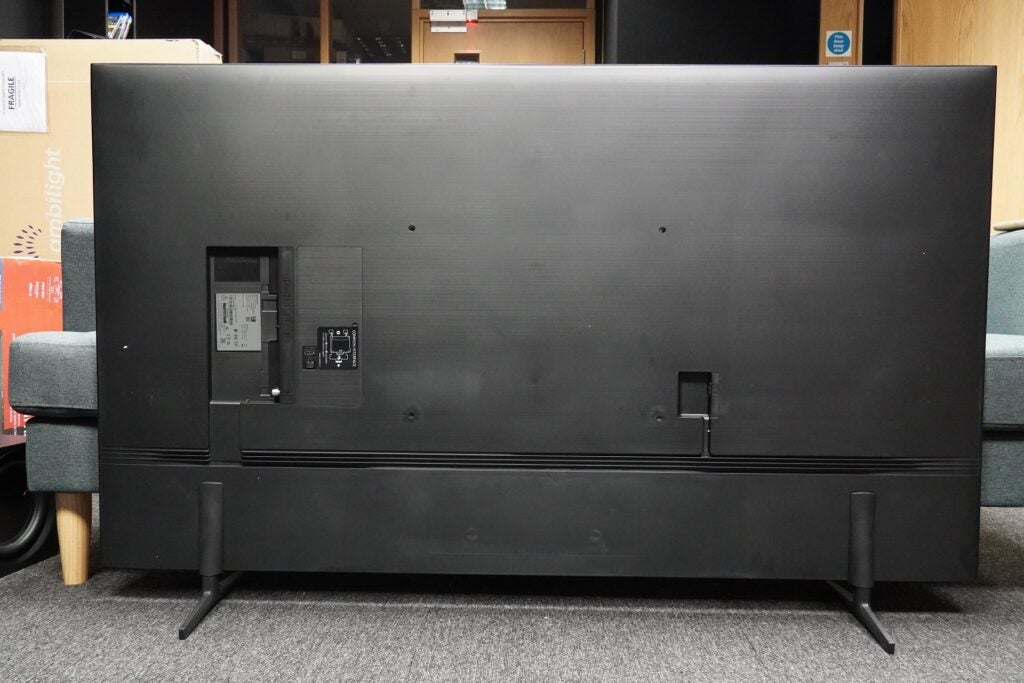
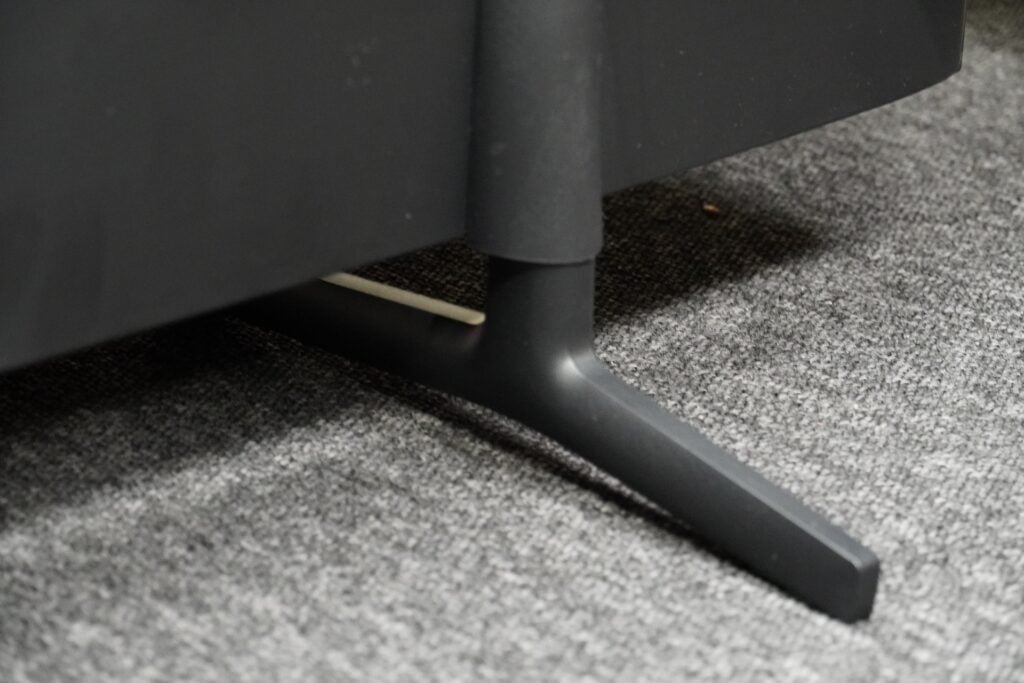
That aside, the BU8000 is another TV from Samsung that resolutely refuses to draw attention to itself with its thin bezel frame. The feet didn’t take me much time to attach, sliding and locking into place on the rear of the screen. But there’s no cable management, and the feet are situated towards the edges, so you’ll want to make sure you have a stand big enough to hold this 65-inch model.

Performance at wide angles does fade quickly when off axis. At best, you’ll want to be at a slight angle before the colours start to fade. This TV is also not bright enough to withstand reflections, so you won’t want to cast much direct light on the screen.

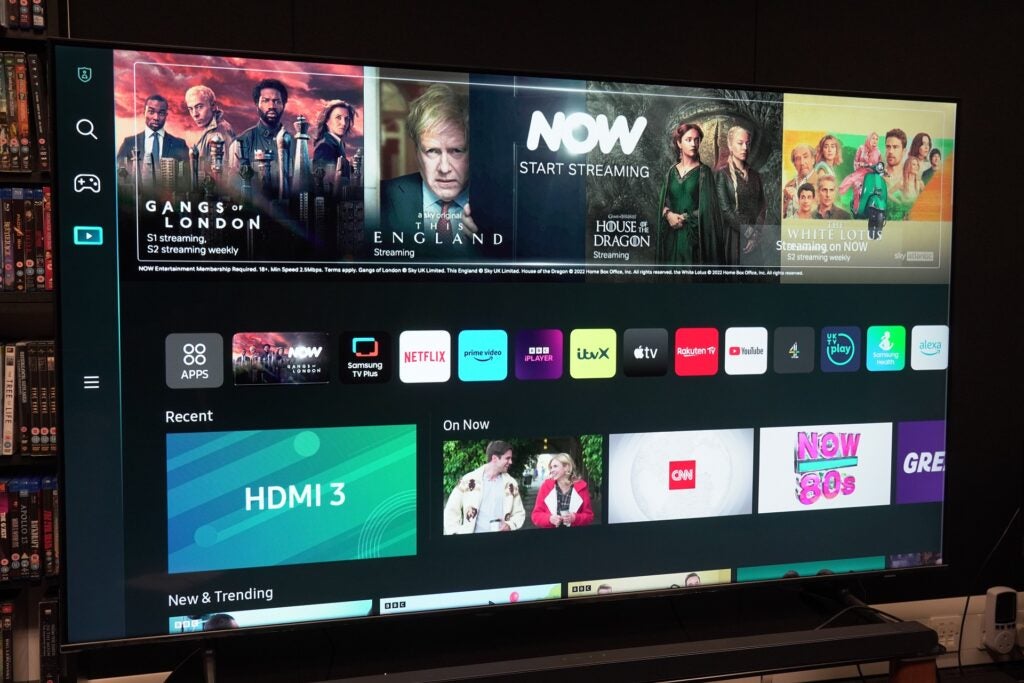
Tizen Smart Hub Interface

  • Slow interface
  • Cloud gaming options
  • Free TV Plus streaming service

I’ve grumbled about the sluggishness of Samsung’s refreshed interface for its 2022 TVs, but up until now, the issue has been an unresponsive smart remote. The UE65BU8000, on the other hand, is just slow all over.

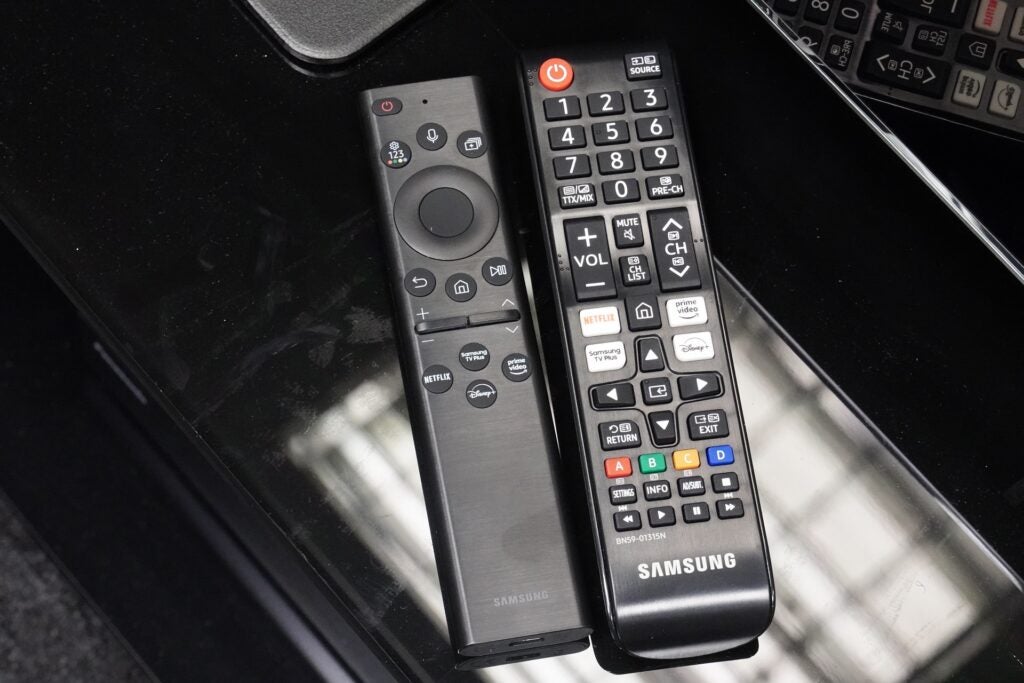
Regardless of the remote used (and this TV comes with both the smart and standard zappers), the interface’s leadenness makes navigation akin to walking in quicksand. Wherever the problem lies, the Tizen interface could certainly benefit from more optimisation.

The new interface takes up the whole screen and is centred around curating content to watch, whether it’s the big banner advertisement at the top or the several rows of content to scroll through. Among these are rows of entertainment apps and recently used sources for jumping back into what you were previously watching.

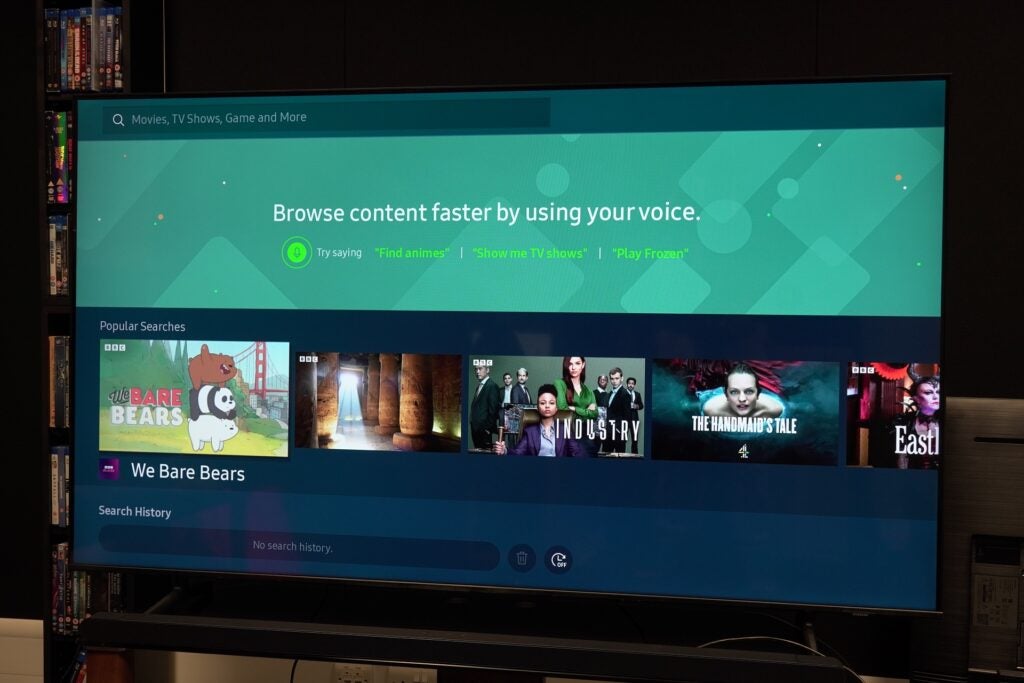
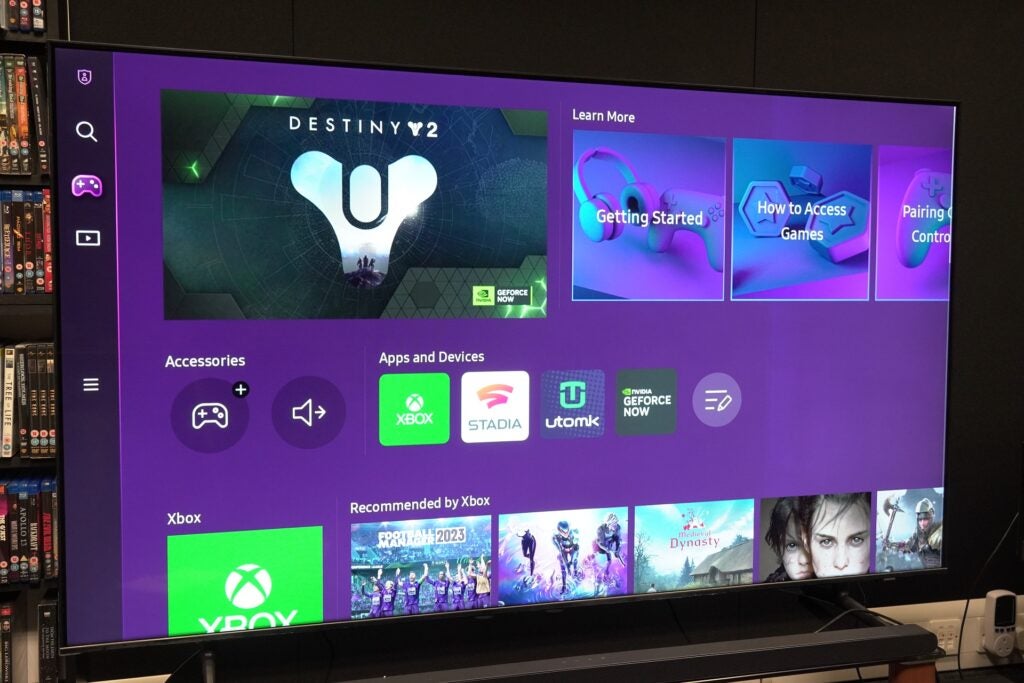
The smart hub is divided into sections accessible on the left-hand side. The main hub is an entertainment one, while the Gaming Hub, Universal Guide (basically, search function) and Settings are the other three sections (the BU8000 doesn’t support the Ambient mode that shows images when the TV is in its “sleep” mode).

There are apps galore, with all the big names covered along with Samsung’s own apps (its Health app is front and centre). Despite no Freeview Play, Samsung offers the free streaming-based TV Plus service as an alternative, and all the UK catch-up apps are present.

In terms of gaming, this TV has cloud gaming options in Utomik, Nvidia GeForce Now, Luna (in the US) and Xbox Game Pass (an exclusive), with Antstream Arcade and Blacknut arriving in 2023.

Features

  • No VRR support
  • Fast gaming performance
  • Built-in voice assistance

Only three HDMI connections are provided, of which HDMI 2 is designated as the eARC port for sending soundtracks, such as Dolby Atmos, to a compatible soundbar. None of these is listed as bearing HDMI 2.1 support, which I’ll come back to shortly.

Other connection options include two USB ports, a CI slot, Ethernet, digital optical out and RF inputs for terrestrial and satellite connections. Wirelessly, there’s Bluetooth 5.2 and Wi-Fi.

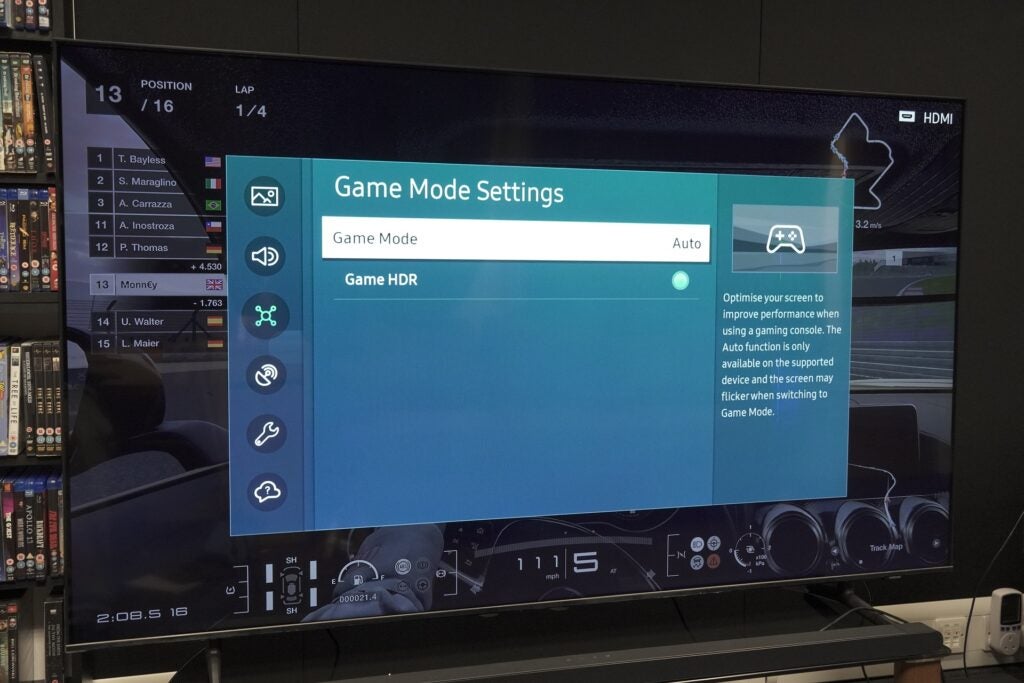
Going back to HDMI 2.1, there’s the auto low latency mode that automatically puts the TV into its most receptive state for gaming. That I measured at 9.5ms, which is a rapid performance for any TV. HGiG for a consistent HDR performance across games is also included.

However, those looking for an affordable big screen for gaming should know that variable refresh rates (VRRs) aren’t supported (the BU8000 goes as far as 50Hz), which means you can’t get any lower than the 9.5ms latency I recorded. Nor does it support frame rates up to 120Hz, which is a feature that’s still rare below the £1,000 mark. Those who want a high-quality gaming experience won’t find it here, but casual gamers will get a fine-enough performance.

Enjoy talking to your TV? Bixby, Alexa (built-in) and Google Assistant are available to talk back and control other connected devices within the home.

Picture Quality

  • Drab colours
  • Stable-enough motion processing
  • Lacks brightness
  • Soft in terms of detail

Compare the UE65BU8000 with, say, Samsung’s QN90B Neo QLED and there’s an obvious and predictable gulf in quality. But the former is pitched to a more affordable market, and judged on its own merits, it offers a decent viewing experience. But its HDR performance left me wanting for a more expressive picture.

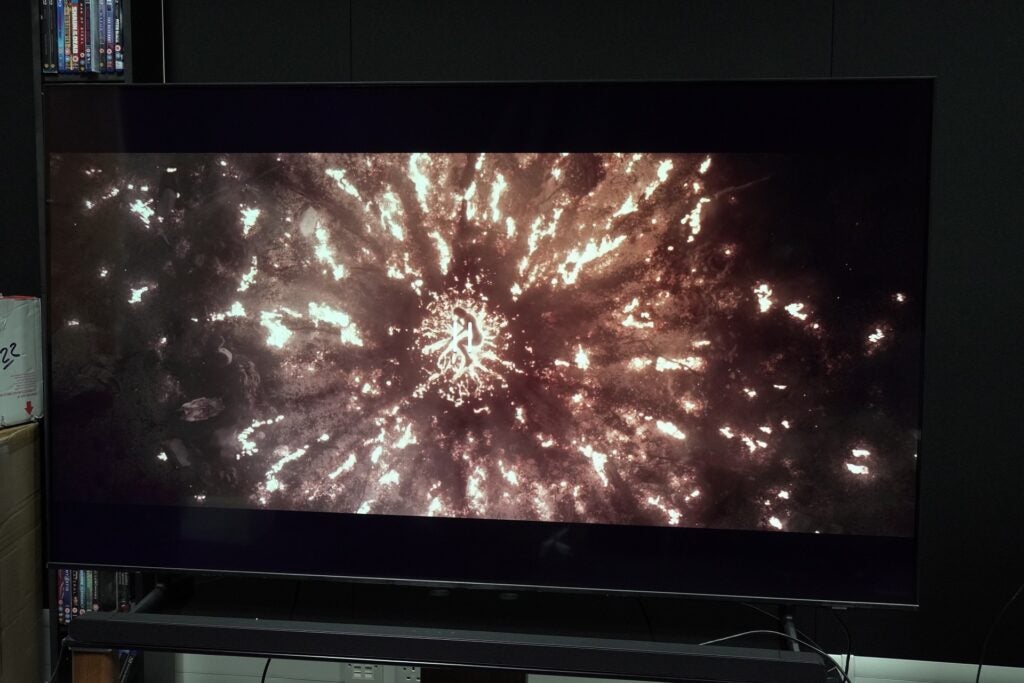
The Crystal processor 4K claims to offer “true to life colour”, but in my time with the set, its colours lacked punch and vigour. I measured brightness at a lowly 277 nits in Standard mode on a 5% HDR window (337 nits on a 10% window), with the Dynamic mode offering the best performance at 334 nits. That’s still short of the 500-600 nits needed to give HDR content some impetus.

As a result, contrast is not the BU8000’s strongest suit, even with its VA panel, with black levels that lack depth and err towards grey tones. Meanwhile, the lack of overall brightness hampers the intensity of highlights and white tones. Switching to the TV’s Dynamic mode beefs up the contrast, but then the issue shifts to colour accuracy, chiefly in darker scenes where blacks take on a cooler, bluish tint.

That doesn’t make HDR content on this TV unwatchable, but I was aware of its limitations. The opening scene of Star Wars: Andor takes place at night, and I can just about make out shapes and objects in the gloom as Andor makes his way into a nightclub on Morlana One. The Shadow Detail setting offers a better glimpse into the darkness, but even a slight adjustment can affect the potency of the TV’s black levels. Adjusting the Contrast Enhancer can make a difference with slightly deeper blacks – but that’s a heavy emphasis on “slightly”.

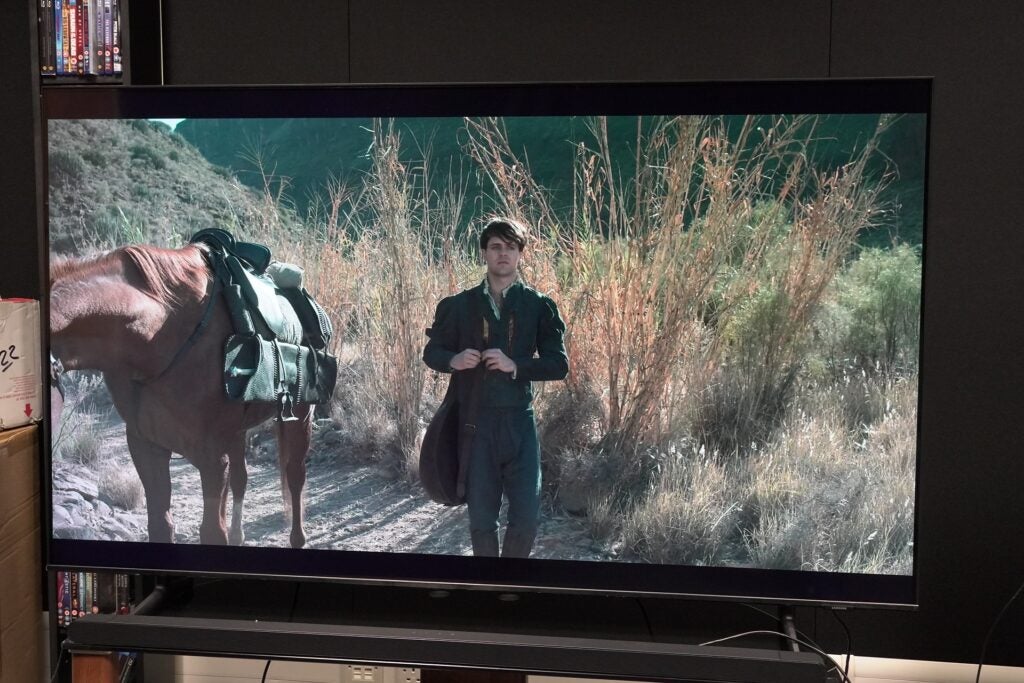
With brighter content set in daylight, the edge-lit screen fares better, but there is still a subdued manner in how it reproduces colours. As Geralt and Jaskier venture in the countryside in The Witcher, the greens of bushes and trees are rather underwhelming. Complexions are fine, but they lack punch and take on a paler tone (which is saying something for Geralt’s already pale skin), with his hair (of all things) looking a less-than-lustrous, dull shade of white. The BU8000 delivers a plain-looking image that doesn’t give a convincing impression of HDR.

HDR10+ assistance helps, but we’re talking subtle amounts here. In Bad Times at the El Royale and The Suicide Squad, colours have a little more depth and range, although the spectacular-looking The Rings of Power appears flat in places – there’s simply not enough contrast, depth or richness in the BU8000’s colours to convey a truly three-dimensional image.

This TV’s sense of detail is not forensic, whether it’s peeking into bright or dark tones, and there’s a fuzziness in general: the leather texture and styling of Geralt’s suit in The Witcher seem hazy in their definition. There’s an overall softness that indicates the BU8000 doesn’t offer the sharpest-looking image.

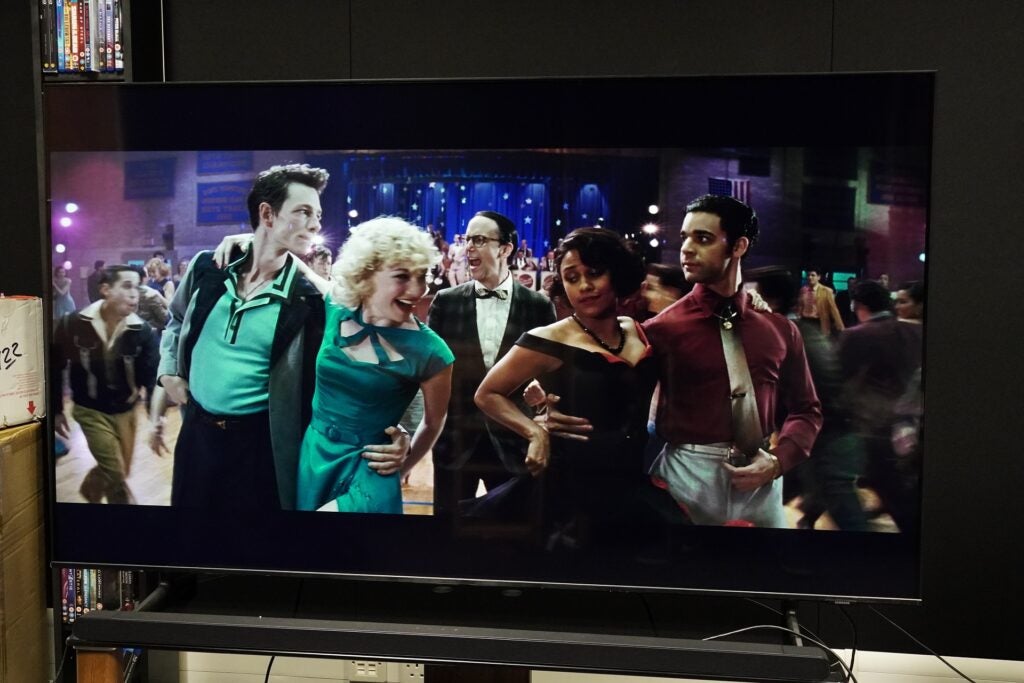
Its motion handling abilities are rather decent when watching West Side Story in 4K HDR. The Custom setting is good with no noticeable artefacts and judder, while the stronger Auto setting gives the dance scene at the school a glossier, more artificial look (usually around the mouths of people as they talk), with a hint of stutter and judder if you look closely.

It keeps up with the pace and intricate movement of the dancers as they cross each other’s paths surprisingly well, but the penalty imposed is that sharpness and definition are further eroded. The same strengths and weaknesses pop up when watching 1917 (although artefacts are more noticeable with that film). Both movies look best without the Motion Plus setting on.

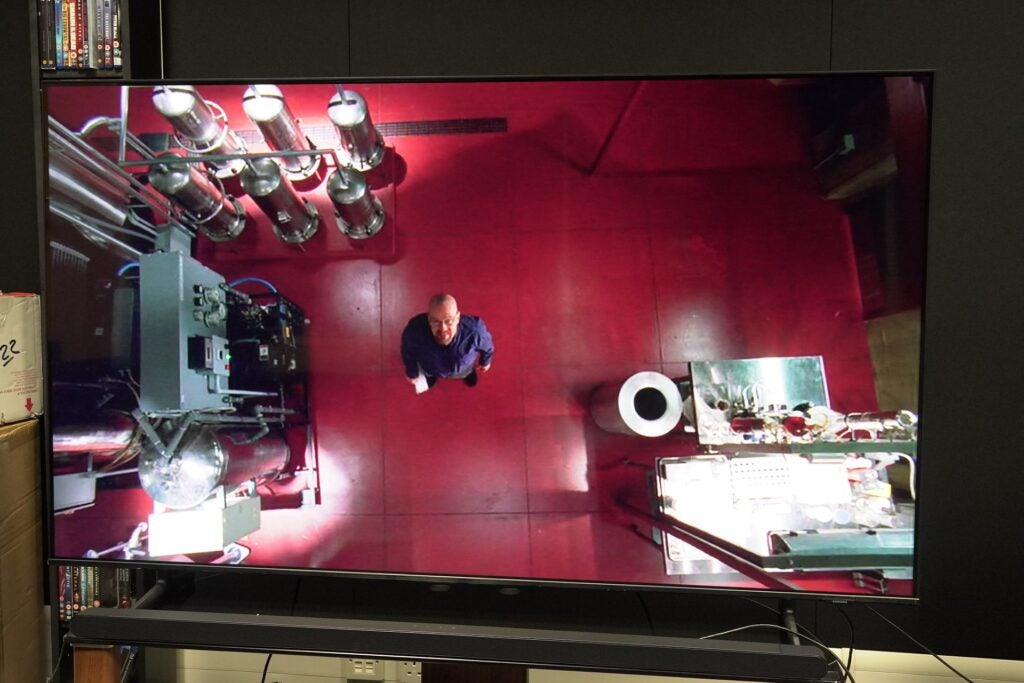
Focusing on the Crystal processor’s upscaling skills, an episode of Breaking Bad (Fly) on DVD has noise and soft edges, but it can pick out detail on characters’ faces fine enough, and it’s a colourful rendition too – the red of the superlab’s floor and the purple-green pattern of Walter’s chequered jacket stand out.

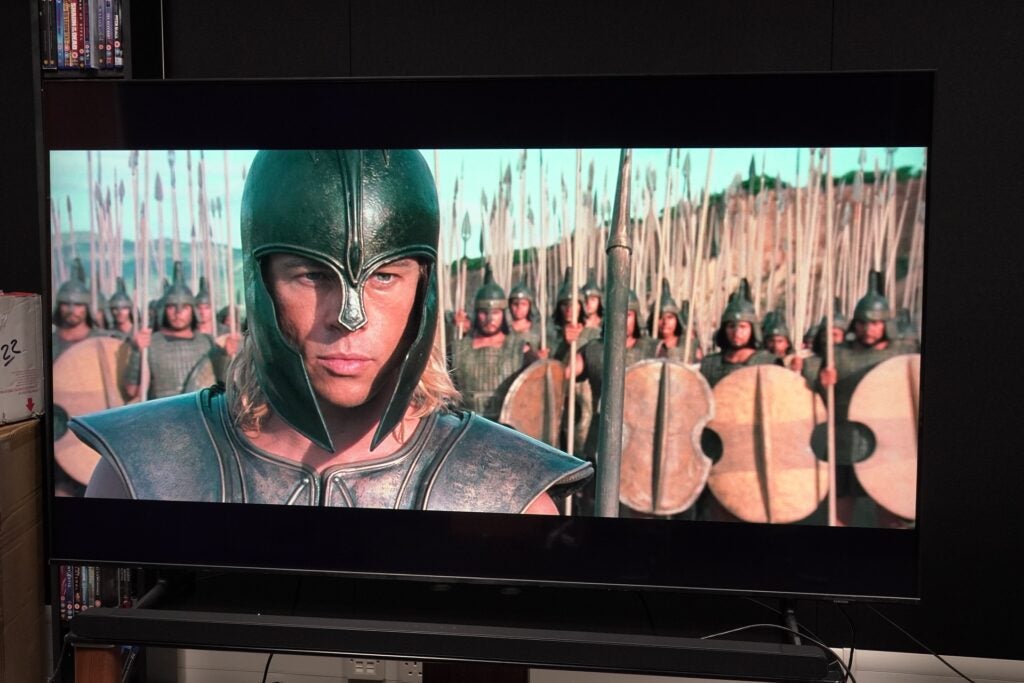
Troy on Blu-ray features an ample amount of detail found on characters’ faces and period armour, as well as a decent level of clarity for a 65-inch screen. The azure blues of the sky translate well and contrast with the sun-dappled yellow of the beach as the Greeks storm it. It’s a credible upscaling performance, with no distracting artefacts, and the BU8000’s sense of colour is best realised with SDR content. But, again, the image does appear a touch soft.

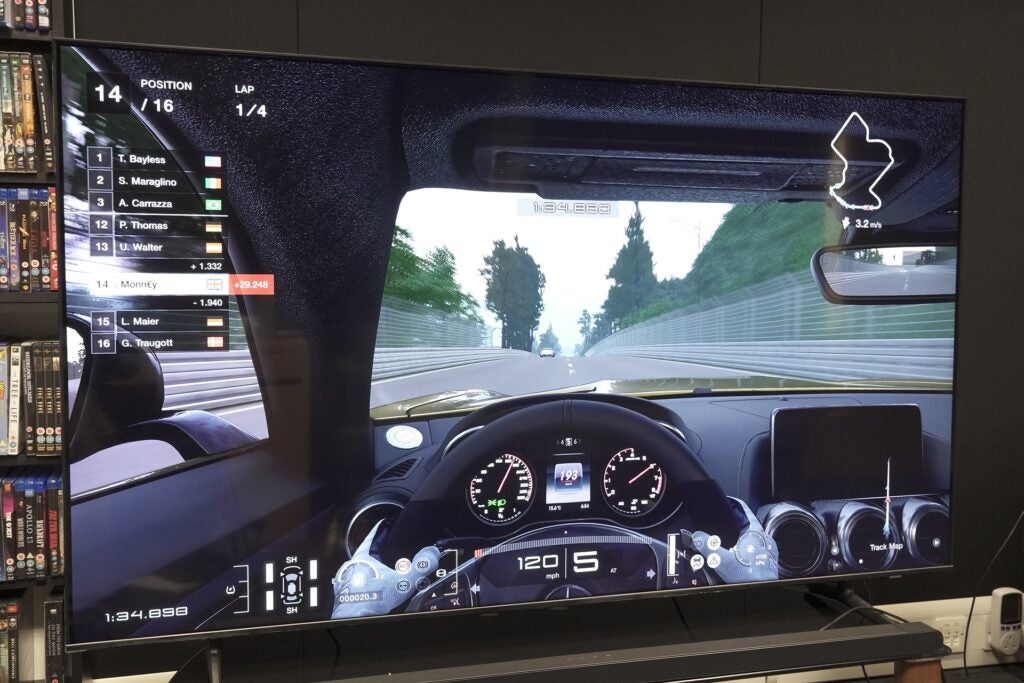
The Game mode is bright enough to give a little zing to the tints and reflections of cars in Gran Turismo 7, and the image is colourful enough, but a little more vibrancy would not go amiss.

I should also mention that the BU8000 came with a slight panel defect with a green strip running vertically down the screen that would appear every now again, mainly when streaming content.

Sound Quality

  • No built-in Atmos
  • OTS Lite system for placing sounds on screen
  • Good with dialogue

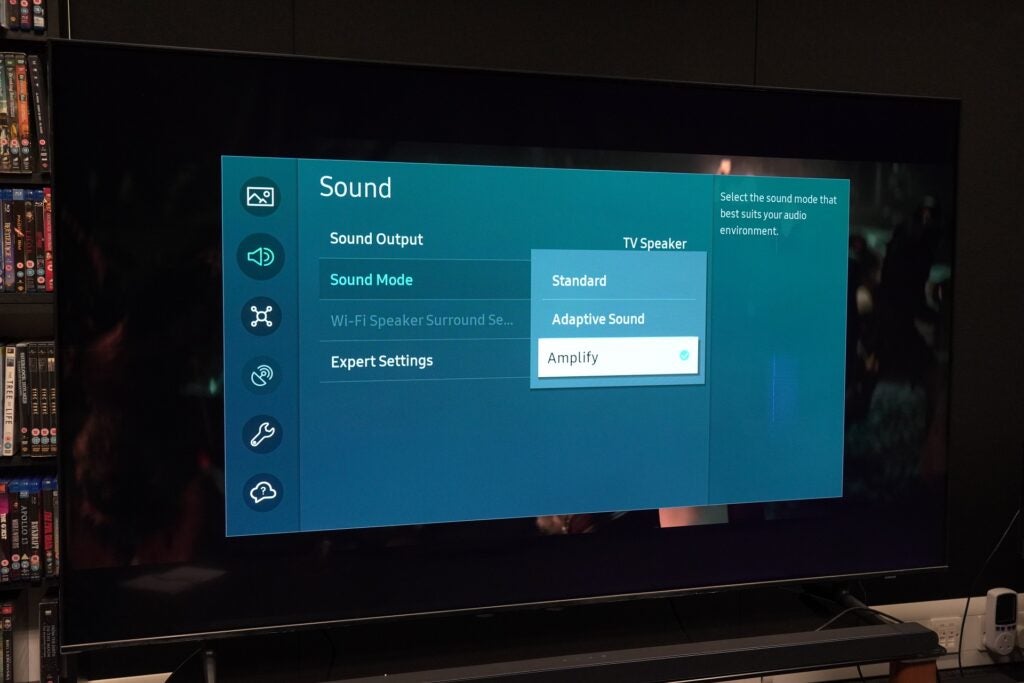
Audio modes are a choice of Standard, Adaptive Sound and Amplify. Adaptive Sound is decent, but I found Amplify improved the loudness of the TV, although its impression of dynamism is on the weaker side.

For a screen of this size, it doesn’t sound big, giving a sense of being hemmed in. That said, dialogue clarity is good and intelligible, and it has a decent grasp of detail: the creaks and groans of an abandoned village in The Rings of Power are nicely realised. The OTS Lite sound system does a decent job of placing the sounds on screen.

It can sound a little murky in describing low frequencies. The beats in rock music from Thor: Love and Thunder is flat, and in The Rings, the Elves encounter with a cave troll doesn’t have much impact or heft in Standard mode (Amplify is a bit better). Push the speakers hard, and they scrimp on detail as sounds meld into one formless soundstage. There’s no built-in Dolby Atmos support with this model.

Those who have a Samsung soundbar with Q-Symphony can benefit from the BU8000’s Q-Symphony Lite feature that uses the TV and soundbar’s speakers in tandem to create a bigger sound. I tried it with the HW-S800B bar, and it did help place dialogue with more precision and a crisper tone, while the accompanying subwoofer took the load off the TV. You’ll certainly want to consider a soundbar,…

Revisión de Top Gun Maverick: la película de Tom Cruise se eleva sobre la original, con advertencias

Top Gun: Maverick, que se estrena el viernes en los cines de todo el mundo, es una verdadera película de Tom Cruise. Por un lado, su personaje, el sabelotodo Capitán Pete “Maverick” Mitchell, está justo ahí en el título. Y los dos mucho más importantes, es la potencia estelar de Cruise la responsable de la existencia de Top Gun: Maverick. Aquí hay una secuela, más de tres décadas después, de una película mucho más pobre de lo que la mayoría está dispuesta a admitir. Top Gun tampoco ha envejecido bien, pero Cruise definitivamente sí. Es el actor más grande de su tipo actualmente en Hollywood. El director de Top Gun: Maverick, Joseph Kosinski (Tron: Legacy), comprende ambas facetas (el encanto y el poder de Cruise y los fracasos de la película original) y ofrece una continuación que es mejor en la mayoría de los departamentos. Aunque es cierto que Kosinski está superando una barra baja.

Por ejemplo, a diferencia del original, en el que los pilotos de combate recién graduados tenían una misión ridícula para formar el grandilocuente tercer acto de la película, Top Gun: Maverick tiene que ver con una misión ridícula. Desde el comienzo. Maverick y sus superiores en TOPGUN profundizan en los detalles más pequeños una y otra vez, entrenando no solo a sus alumnos, sino también a la audiencia de alguna manera. Al final de Top Gun: Maverick, sabemos exactamente cuál es la misión, aunque nunca tendremos idea de cómo es volarla. Eso demuestra que Kosinski sabe de qué se trata Top Gun: Maverick, aunque el enfoque láser también lo perjudica en otras secciones.

Por supuesto, para lo que muchos están aquí es para la acción. Y la nueva película de Top Gun cumple con creces. De hecho, Top Gun: Maverick no comienza con su crucero estelar, sino con un alarde naval. Kosinski esencialmente está creando el ambiente. Y cuando estamos en el aire con Maverick y compañía, la cámara no recorta el rostro de Cruise mientras despegamos. Al igual que con Misión: Imposible, este es un testimonio de la dedicación de Cruise para realizar sus propias acrobacias. Incluso con los otros actores, todos los cuales tuvieron que manejar la iluminación y la cinematografía por su cuenta, ya que no hay espacio para nadie más, está claro que Top Gun: Maverick filmó la mayor parte, si no toda, su acción dentro de cabinas reales y con cielos reales como telón de fondo, en lugar de caer en imágenes CGI de las que son culpables la mayoría de las películas.

Anek a Top Gun: Maverick, las seis películas más grandes de mayo

Como resultado, la acción de alto vuelo es tanto legible como impresionante. (Si va a ver Top Gun: Maverick, le recomendaría que lo haga en la pantalla más grande posible. Preferiblemente una IMAX). misión. Gran parte de la fuerza de propulsión de las secuencias de acción se debe a los aviones que vuelan tan cerca del suelo y entre sí (estoy bastante seguro de que los dispararía en el mundo real) en combinación con interminables giros, giros y otras maniobras emocionantes. Kosinski transfiere su ojo para el estilo y la energía cinética, como se ve en Tron: Legacy, a Top Gun: Maverick, imbuyendo la película con pura alegría y una ráfaga de adrenalina.

Pero fuera de la cabina, Top Gun: Maverick es un acto de equilibrio mucho más delicado, y no siempre aterriza. Kosinski dirige un guión en el que han trabajado tres escritores acreditados, incluidos Ehren Kruger (Transformers: El lado oscuro de la luna y La era de la extinción) y Eric Warren Singer (La gran estafa americana) como equipo principal, con Christopher McQuarrie (Misión: Imposible – Fallout), en quien Cruise confía ahora en la franquicia M:I, también presta su talento. Top Gun: Maverick se siente atrapado entre ser un éxito de taquilla de verano estadounidense escapista y una película sincera de alto riesgo y emociones profundas.

La nueva película Top Gun es una película muy diferente de la original, que pertenecía a una época anterior y hablaba de una América diferente. No hay escenas de ducha, no hay hombres caminando en toallas y, por lo tanto, no hay homoerotismo involuntario. La escena del voleibol se convierte en un partido de fútbol americano y, aunque hay muchos hombres sin camisa, tiene una función narrativa. Top Gun: Maverick tampoco es una película tradicional de Tom Cruise, donde corre (mucho), se pelea a puñetazos y muestra su sonrisa. Aunque sus escenas con Jennifer Connelly, quien interpreta al nuevo interés amoroso, ofrecen un poco de lo último. (Además de una ubicación flagrante para una marca de automóviles bastante famosa).

Misión Imposible – Reseña de Fallout: Tom Cruise dirige la mejor película de acción del año

Jennifer Connelly en Top Gun: Maverick
Crédito de la foto: Scott Garfield/Paramount Pictures

Treinta y seis años después de graduarse de TOPGUN como el segundo mejor de su clase, Maverick (Crucero), que siempre quiso estar en el cielo, ha hecho todo lo posible para sabotear su carrera y mantenerse en el rango de Capitán. Como señala su superior Cain (Ed Harris), debería ser al menos un almirante de dos estrellas, si no un senador a estas alturas. Castigado por Cain por un truco que hizo para mantener a su equipo en sus trabajos (Cain cree que los pilotos humanos son historia), a Maverick se le asigna su nueva y última misión. Después de eso, está fuera. Pero para su sorpresa, se supone que no debe volarlo. En cambio, su nuevo superior Cyclone (Jon Hamm) quiere que le enseñe lo mejor de lo mejor, que han sido llamados de regreso a TOPGUN desde los escuadrones a los que fueron asignados.

Entre ellos, tenemos a Bradley “Rooster” Bradshaw (Miles Teller), el hijo del difunto mejor amigo de Maverick, Nick “Goose” Bradshaw, quien murió en Top Gun. Está claro que Maverick todavía se siente culpable por la muerte de Goose, sus acciones tuvieron un papel que desempeñar en el accidente que cobró la vida de Goose, y eso ha impactado para siempre su relación de pseudo-padre con Rooster. El equipo de jóvenes también incluye al arrogante Hangman (Glen Powell), un equivalente, o podría decirse una mezcla, tanto de Maverick como de su antiguo rival Iceman (Val Kilmer), ahora un almirante de cuatro estrellas que es el único amigo de Maverick. en la Marina. Hay un montón de otros pilotos, interpretados como Lewis Pullman, Monica Barbaro, Jay Ellis y Danny Ramirez, pero ninguno de ellos tiene características definitorias o un arco más allá de un punto.

Hablando de personajes poco escritos, Connelly interpreta a la madre soltera y dueña de un bar, Penny, de quien se nos dice que tiene una historia romántica con Maverick. No hay señales del interés amoroso original de Top Gun, interpretado por Kelly McGillis, quien también fue instructora de Maverick. De hecho, las mujeres tienen un papel insignificante en posiciones de poder en Top Gun: Maverick. Por lo que vale, Penny instruye a Maverick en una escena de navegación inesperada. Pero más allá de esos dos minutos, su personaje realmente no tiene nada de carne, y su relación sigue golpeando los mismos ritmos y es muy predecible a dónde va. A pesar de los mejores esfuerzos de Connelly para convertir a Penny en una verdadera mujer en 3D, está perdida en Top Gun: Maverick.

Revisión de Doctor Strange 2: El multiverso de la locura es demasiado y demasiado poco

Miles Teller en Top Gun: Maverick
Crédito de la foto: Scott Garfield/Paramount Pictures

Sin embargo, lo que la nueva película de Top Gun hace bien en representar es el material de TOPGUN. Kosinski y compañía no solo controlan la acción y cómo se desarrolla, sino que hay un trasfondo de tensión en la raíz de todo en Top Gun: Maverick. Naturalmente, hay tensión entre Maverick y Rooster, aunque este último lo desprecia más por otra cosa. Hay tensión entre Maverick y sus superiores. (La relación entre los personajes de Hamm y Cruise, Cyclone expresa lo que quiere y luego Maverick se sale con la suya, se siente como un comentario sobre la relación de Cruise con Paramount). todos, una vez que lo ven operando un jet.

Además de todo eso, están trabajando contrarreloj en Top Gun: Maverick. No solo deben ejecutar la misión en menos de tres semanas antes de que una planta de enriquecimiento de uranio entre en funcionamiento, sino que también deben entrar y salir en minutos para evitar peligrosos combates aéreos con una fuerza enemiga altamente equipada. Maverick no se siente calificado para enseñar (su última etapa como instructor de TOPGUN duró 2 meses, nos dice desde el principio) y es el tipo de persona que preferiría arriesgarse a enviar a alguien más a una misión mortal. Mientras lucha por reducir algunos de sus excesos, Maverick crece en otra parte. Por ejemplo, cuando sus aprendices se equivocan y tratan de explicarse, los reprende recordándoles que tendrán que enfrentarse a las familias de los compañeros a los que fallan.

Si bien mejora el original en la mayoría de los aspectos, Top Gun: Maverick también es completamente igual en uno. Al igual que con el original, esta es una película donde el enemigo no importa. Sus pilotos no tienen rostro, y aunque sus aviones y terreno ofrecen pistas, Top Gun: Maverick tiene cuidado de no nombrarlos nunca. Sus aviones son llamados repetidamente “cazas de quinta generación” a pesar de que son un bocado. Los espectadores entusiastas ya se han dado cuenta de que están diseñados en el Sukhoi Su-57 de Rusia. Los detalles de la misión, y la participación de otros aviones, sugieren que el objetivo podría ser Irán. Pero Top Gun: Maverick elige ser completamente apolítico. Dicho esto, las banderas de Japón y la República de China que faltaban en la chaqueta de bombardero de Maverick, reemplazadas en la provocación inicial de la película para apaciguar los intereses chinos, se han restablecido ahora que esos intereses ya no importan.

The Mummy Review: desperdicia el encanto de Tom Cruise en un iniciador de franquicia improvisado

Jon Hamm en Top Gun: Maverick
Crédito de la foto: Scott Garfield/Paramount Pictures

Sin embargo, la pregunta más importante para esta película de Tom Cruise podría estar completamente fuera de la pantalla. Las dos películas de Top Gun, con 36 años de diferencia, se han estrenado en mercados teatrales muy diferentes. Al principio de Top Gun: Maverick, Ed Harris postula que los gustos de Maverick son dinosaurios, con tecnología preparada para reemplazarlos. De manera similar, las películas en la pantalla grande son dinosaurios. En el tiempo transcurrido desde el primer Top Gun, la tecnología ha invadido las películas de muchas maneras.

No solo en su elaboración y en cómo se incorporan las interpretaciones de los actores, sino también en cómo se estrenan. Las cámaras ahora también están en todas partes. Como señaló una vez Kosinski, si el público puede obtener imágenes de aviones de combate, capturadas por pilotos reales de la Marina de los EE. UU., en YouTube, entonces su película tendría que ir mucho más allá. (Locamente terminó filmando 800 horas de metraje, más que la trilogía de El Señor de los Anillos). Top Gun: Maverick cumple en ese sentido, aunque también tropieza fuera de su ritmo.

En cierto modo, es un milagro. Una secuela de una película de hace décadas que nadie pidió podría haberse colapsado y quemado fácilmente, y aún podría ser ignorada, como resultó ser el caso de Blade Runner 2049. Ese Top Gun: Maverick funciona tan bien como él. lo que hace, en su mayor parte, es felicitaciones a Cruise y Kosinski por comprender la tarea. Es una apuesta que vale la pena en gran medida, aunque no es nada en comparación con el Top Gun de ensueño: Maverick te vende.

Top Gun: Maverick se estrena el viernes 27 de mayo en los cines de todo el mundo. Las vistas previas pagas comenzaron el miércoles 25 de mayo en India y en otros lugares. En India, Top Gun: Maverick está disponible en inglés, hindi, tamil y telugu.


Los enlaces de afiliados pueden generarse automáticamente; consulte nuestra declaración de ética para obtener más detalles.

.

Huawei Mate 50 Pro Review

The Huawei Mate 50 Pro has a great set of cameras, good speakers and a bold design. But it’s a 4G phone that costs as much as the top iPhones and Samsungs, and it has access to very few of the apps and games that can make full use of its hardware.

Pros

  • Great water resistance
  • Triple camera array is great and lots of fun to use
  • Eye-catching design

Cons

  • Severe thermal throttling of performance
  • No 5G mobile internet
  • Too expensive
  • Does not have Google apps
  • Rubbish app store

  • Qualcomm Snapdragon 8+ Gen 1 SoCThis phone has one of the most powerful mobile processors, but it’s the 4G version, so bear that in mind before buying.

  • Variable aperture cameraThe Mate 50 Pro is just one of a handful of phones made to date with variable aperture, letting you alter how much light gets into the sensor.

  • IP68 water resistanceHighly water-resistant and dustproof, the Mate 50 Pro matches the best flagship phones around in terms of ruggedisation.

Introduction

The Mate 50 Pro is Huawei’s flagship Android phone for late 2022 and beyond. It costs a fortune and, like classic models in this series, aims to show off the best in phone tech. 

In some areas it does. The Mate 50 Pro has an excellent set of cameras that, for me, after months of reviewing lower-end and midrange models, serves as a reminder of how fun it is to walk around with a good telephoto camera in your pocket. 

I can’t picture recommending this phone to many people, though – particularly not at its current high price. It’s the same old story: the Mate 50 Pro doesn’t have 5G, Google apps or Google Play access.

Huawei’s solution of a poor first-party app store and a search engine that scours a bunch of semi-reputable sources for app install files just doesn’t cut it at this level. 

Design and Screen

  • Curved glass front and rear panels
  • Excellent IP68 water resistance
  • Powerful lower speaker

The Huawei Mate 50 Pro is an eye-catching phone. It continues the style of the Mate 30 Pro, placing the rear cameras in a giant circle – a disc that sticks out from the phone’s back. 

It’s bold – the kind of design that might have seemed a speculative concept render a few years ago. The quality of the build is mostly great, as long as you are willing to put a little faith in its unusual parts. 

Image Credit (Trusted Reviews)

The Mate 50 Pro is a sandwich of two curved glass panels, with aluminium in-between. A metal ring sits around the camera disc, with fine detailing along its top. Surprisingly enough, the top surface of the disc appears to be some form of plastic, but the camera lens protection is, of course, glass. 

Huawei does not use the industry-standard Gorilla Glass in the Mate 50 Pro, though. The orange vegan leather version of this phone has Kunlun nanocrystal display glass – a new formulation made by Huawei that it claims has superior drop resistance. But my silver version? It has unnamed glass by who-knows, which is not a great look for a phone this pricey. 

But the Mate 50 Pro does have excellent IP68 water and dust resistance. It’s also one of the few flagship phones with expandable memory – yay! But you can only use one of Huawei’s nano-SIM-sized NM cards – boo! 

There’s no headphone jack either, and the speakers’ output is uneven. One driver sits at the bottom of the phone, the other by the earpiece on the front. This upper driver has a thinner sound, so lower-frequency content from that channel is actually played through the bottom speaker. 

The resulting sound is still quite impressive, with a richer and smoother tonality than that of the Xiaomi 12T, which I used before the Mate 50 Pro. But the latter’s right-side bias is quite clear when you watch a music video with the phone on its side. 

The Huawei Mate 50 Pro has a 6.74-inch screen with a resolution of 2616 x 1212 pixels. This is only a little higher than the 1080p norm of much cheaper models. It’s well below the 3088 x 1440 of the Galaxy S22 Ultra and slightly below the 2796 x 1290 pixels of the iPhone 14 Pro Max. 

I don’t think most people should care that much, however. I couldn’t see any fuzziness to text even when eyeballing the screen surface in close-up. 

Indoors, the Mate 50 Pro will head up to 535 nits of brightness – a bit punchier than most – and in direct sunlight, it maxes out at 825 nits. That’s decent, although no higher than I’ve seen in some midrange phones recently. 

Image Credit (Trusted Reviews)

The standouts of the Mate 50 Pro screen are its colour and curve. As with previous top models in this range, the display panel curves around at the sides to match the curvature of the front glass. 

I also think this phone’s default colour mode is great. Huawei says it cycles between colour standards to suit the app used – and it really works. Your photos’ colour isn’t amped up in the gallery, and home screen icon colours look vibrant. Alternatively, the Vivid mode uses extra-saturated colour the whole time, which I wouldn’t recommend.

Other aspects of the display are exactly what you’d expect from a high-end phone. It has a max refresh rate of 120Hz for smooth scrolling, and it supports HDR video. 

Image Credit (Trusted Reviews)

Performance

  • Throttles dramatically under pressure
  • Very powerful SoC
  • No access to Google apps or services

Huawei is well-known in geeky circles for its HiSilicon processors – as seen in the P50 Pro phones. However, both the Mate 50 Pro and Mate 50 use the Qualcomm Snapdragon 8+ Gen 1 instead. 

This is a super-powerful processor with fantastic peak graphics performance. In 3DMark’s Wild Life test, for example, it scores 10,529 points – similar to the score of an iPhone 14 Pro Max. That’s big because iPhone chipsets have sailed ahead in this area for years now. 

The Mate 50 Pro can’t hold onto that power for too long, though. In a stress test, the phone’s power dropped dramatically after 10mins and became erratic as it tried to balance heat and performance. At one point, it had just 36% of its peak power. Ouch. 

Qualcomm’s + version of the 8 Gen 1 seen here was partly designed to deal with the original version’s heat problems, by using a more efficient architecture. But performance stability is still bad, and this version of the chipset is 4G-only. There’s no 5G mobile internet.

The performance dip could be Huawei approaching things conservatively, however, because the Mate 50 Pro really didn’t get all that hot while I played some Fortnite. 

Image Credit (Trusted Reviews)

That game runs beautifully on this phone. Sure, there are occasional frame rate drops when you turn around, but it runs just as well as any Android I’ve seen. And all the graphics options are unlocked here, including the 90fps mode. 

However, I don’t think the Mate 50 Pro is a great gaming phone, because the library available to it is poor. As has been the case since 2019, Huawei phones don’t have Google apps. That means no Play Store, no Gmail or Google Maps. 

In their place, you get Huawei’s AppGallery, Petal Maps and so on – the Huawei stand-ins. At times, they are a little gross compared with their Google counterparts. Petal Maps keeps shoving a £2 Bolt discount in my face, putting it right in the location search bar. 

Image Credit (Trusted Reviews)

AppGallery shows a promo advert whenever I open up the app. I can stomach this kind of ad-flinging on an Amazon tablet, where there’s a sense the tablet’s cost is partly subsidised by the amount you’ll be spending on Amazon-owned content in the future. But this doesn’t fly after paying nearly £1200 for the Mate 50 Pro. 

The more significant issue is that AppGallery is unlikely to have all the apps you want, and there’s no good solution to this problem. Huawei offers Petal, a search tool that shows you places other than AppGallery where you can find downloadable apps. 

While handy, user protections are limited here, and Huawei quietly shrugs off responsibility with a disclaimer link that accompanies search results. What you can get from the linked third-party app stores and websites is very limited anyway – you won’t typically find premium apps and games there.

A lot of folks will buy a Mate 50 Pro with the plan to install Google services on there. But I’m not writing this review for those folks. 

The Android experience without Google apps remains kind of depressing. And even when you do find a way to get the apps you need, other issues often emerge. For example, WhatsApp is available from the official website, but you can’t recover your backup messages and images because they’re stored on Google servers. Precious memories, binned.

Camera

  • A very fun camera to use
  • Three rear shooters
  • Strong zoom skills

Let’s get back to the good stuff. The Huawei Mate 50 Pro has a great camera – one that is bags of fun to use at all times. 

While it looks like there are four cameras on the back, there are actually three. You get a 50-megapixel primary camera, a 13-megapixel ultrawide and a 64-megapixel 3.5x periscope zoom.  

Image Credit (Trusted Reviews)

The big new feature for this year is variable aperture. Aperture refers to the size of the hole that lets in light, and almost all phones have a fixed hole. The Mate 50 Pro’s main lens can open up in four stages. You can watch the little blades move as you change the aperture setting. 

It’s neat tech, but I personally don’t find it as impactful as some other aspects of this camera. When your subject is very close, there’s a noticeable change in background blur, but it’s nothing like changing the aperture on my FujiFilm APS-C camera, where portraits of people 2m away can be given a super-silky, super-pronounced bokeh effect. Here, the crop factor – the small sensor — limits the effect of a wider or narrower aperture a lot. 

However, I still think taking photos with the Mate 50 Pro is a blast. It’s one of the most best phone cameras I’ve used all year, and this is 95% down to the zoom. It lets you take far better pics of animals from a distance, and the camera itself is of high enough quality to have its own mild background blur effect when your subject is only a few feet away. 

Shot using the zoom; note the slight lens blur to the background – a neat effect
Shot using the ultrawide camera
Shot at 10x, from the same position as the above image

Huawei pushes the hardware to its extreme limit by offering a 10x zoom preset, even though the camera itself is only a 3.5x zoom. The counterargument is, of course, that it uses a super-high-res 64-megapixel sensor. But this sensor is designed for 4-in-1 pixel binning and 16-megapixel photos. 

Images at 10x are rather soft – not quite a match for those of a Samsung Galaxy S22 Ultra 5G and its 10x camera, and about 60% of my super-zoomed images had some blur (mostly in the subject). But I still had a great time using this mode. 

The zoom is great for photographing foxes …
… and squirrels

General image quality is great from the primary camera. Night photos can look incredible, whether you use the Night mode or not – it tends to amp up colour a bit and increase the sharpness of the image but largely through processing. 

Above-average night results are possible with the ultrawide camera and when using the 3.5x zoom preset, too, although looking at them up close, it appears the Mate 50 Pro switches to the main camera in low light – or it may use a combination of the two cameras’ output to generate images. 

Night photo quality is excellent when using the main camera

Colour is generally good, with a tendency for some tones to look a little hotter/more saturated in certain scenes, often at 1x zoom. 

Image Credit (Trusted Reviews)

Video can be captured at up to 4K resolution, 60fps, and image quality is good at both 4K and 1080p. I noticed some in-frame blur on footfalls – even during the day – which suggests the handling of shooting parameters is not quite as foolproof as, for example, an iPhone 14’s. 

The Mate 50 Pro’s front camera is strong too: a…

Revisión de Sennheiser Momentum True Wireless 3: el buque insignia TWS se vuelve aún mejor

Los audífonos verdaderamente inalámbricos emblemáticos de la actualidad cumplen con los más altos estándares de diseño, rendimiento y funcionalidad, y solo unas pocas marcas se han destacado realmente en este segmento por ofrecer el tipo de productos que la gente estaría dispuesta a pagar por Rs. 20.000 por. Una de las primeras marcas en ofrecer un producto verdaderamente ganador en este espacio fue Sennheiser, con los auriculares Momentum True Wireless. Recientemente, hemos visto a Apple y Sony avanzar, pero Sennheiser no se lo ha tomado a la ligera y ahora ha lanzado los auriculares Momentum True Wireless 3 en India, para competir con los Sony WF-1000XM4 y Apple AirPods Pro.

Con un precio de Rs. 21,990, el Sennheiser Momentum True Wireless 3 promete mejoras sobre el Momentum True Wireless 2 que se lanzó a mediados de 2020. Con un diseño mejorado, soporte para el códec aptX Adaptive Bluetooth y la promesa de un mejor sonido y rendimiento ANC, ¿son estos los mejores auriculares inalámbricos insignia que puede comprar en este momento? Descúbrelo en esta revisión.

Los auriculares Sennheiser Momentum True Wireless 3 se enfrentan a los Sony WF-1000XM4 y Apple AirPods Pro

Sennheiser Momentum True Wireless 3 diseño y características

Aunque Sennheiser Momentum True Wireless y Momentum True Wireless 2 son muy buenos en muchos sentidos, son bastante voluminosos para los estándares de diseño actuales de TWS. El Momentum True Wireless 3 ha mejorado considerablemente en este sentido, con un factor de forma mucho mejor y más pequeño que se adapta mejor a su posicionamiento premium. Como resultado, los auriculares no sobresalen tanto de las orejas como antes y son mucho más ligeros y cómodos.

Afortunadamente, esto no le ha restado valor a nada más cuando se trata de diseño; Sennheiser Momentum True Wireless 3 es un par de auriculares atractivos. Los auriculares tienen un logotipo grande y distintivo de Sennheiser en sus superficies exteriores planas, pequeñas orejeras para ayudar a obtener un buen ajuste y almohadillas de silicona que tienen una capa de espuma en las aberturas. El área del logotipo es sensible al tacto para los controles, que se pueden personalizar a través de la aplicación. La superficie plana y grande hizo particularmente fácil el uso de estos controles táctiles.

El estuche de carga del Sennheiser Momentum True Wireless 3 es uno de los mejores que he encontrado, con un exterior envuelto en tela y un tamaño y una forma convenientes que se pueden guardar fácilmente en el bolsillo. Tiene un puerto USB tipo C y admite carga inalámbrica Qi. No hay un botón de emparejamiento en el estuche (los auriculares ingresan al modo de emparejamiento a través de los controles táctiles) y, curiosamente, el puerto de carga USB tipo C está en la parte frontal del estuche, junto con la luz indicadora.

En el paquete de ventas se incluyen cuatro pares de puntas de silicona para los oídos, tres pares de orejeras y un cable de carga. Los auriculares tienen clasificación IPX4 para resistencia al agua, y cada auricular tiene tres micrófonos para funciones de voz y ANC.

Los auriculares de Sennheiser Momentum True Wireless 3 tienen clasificación IPX4 de resistencia al agua

Los auriculares pesan 5,8 g cada uno, mientras que el estuche de carga pesa 66,4 g. La función Smart Pause, que se supone que reproduce y pausa automáticamente la música cuando se usa o se quita el auricular, no funcionó muy bien para mí. A menudo continuaba reproduciendo música incluso cuando uno o ambos auriculares no estaban en mis oídos. El Momentum True Wireless 3 está disponible en dos colores en India en el momento del lanzamiento, negro y grafito (mi unidad de revisión), y se espera que un tercer color blanco esté disponible más adelante.

Aplicación Sennheiser Momentum True Wireless 3 y especificaciones

Al igual que con todos los productos inalámbricos de gama alta de Sennheiser, Momentum True Wireless 3 funciona con la aplicación Sennheiser Smart Control, disponible en iOS y Android. Esta es una de las mejores aplicaciones que he usado para la administración de auriculares, que brinda acceso a los controles y configuraciones para el ecualizador, los modos de transparencia y ANC, los controles táctiles y más. También puede actualizar el firmware, activar o desactivar la Pausa inteligente y la función de aceptación automática de llamadas, y establecer una hora para que los auriculares se apaguen automáticamente cuando no estén en uso.

La personalización del control en Sennheiser Momentum True Wireless 3 es particularmente buena, ya que permite configurar funciones específicas para varios gestos, incluidos un toque, dos toques, tres toques y tocar y mantener, con funciones separadas asignables a cada auricular para cada gesto. . Pude crear un conjunto de controles que permitían la reproducción, la cancelación activa de ruido, la invocación del asistente de voz y el volumen, todo controlado directamente desde los auriculares. Esto es considerablemente mejor que lo que se ofrece en la mayoría de los otros auriculares inalámbricos verdaderos premium.

El Sennheiser Momentum True Wireless 3 funciona con controladores dinámicos de 7 mm y tiene un rango de respuesta de frecuencia de 5-21,000 Hz y una clasificación de sensibilidad de 107 dB. Los auriculares utilizan Bluetooth 5.2 para la conectividad y son compatibles con los códecs SBC, AAC y aptX Adaptive Bluetooth.

La compatibilidad con aptX Adaptive es un paso adelante con respecto a los auriculares Momentum True Wireless 2, que solo admiten el códec Bluetooth aptX. Dicho esto, aptX Adaptive tiene compatibilidad limitada incluso dentro del ecosistema de Android a partir de ahora, y solo funciona en dispositivos que ejecutan hardware selecto como Qualcomm Snapdragon 888 y Snapdragon 8 Gen 1. En dispositivos que no son compatibles con aptX Adaptive, Momentum True Wireless 3 por defecto a los códecs aptX más antiguos (ampliamente compatibles con muchos dispositivos Android) o AAC (en dispositivos iOS). Es esta especificación clave la que hace que Momentum True Wireless 3 sea más adecuado para su uso con dispositivos Android.

Sennheiser Momentum True Wireless 3 rendimiento y duración de la batería

El precio y el posicionamiento de Sennheiser Momentum True Wireless 3 lo ponen en competencia directa con Sony WF-1000XM4 y Apple AirPods Pro, los cuales cuestan alrededor de Rs. 25.000. Sin embargo, la compatibilidad con el códec aptX Adaptive hace que los auriculares Momentum True Wireless 3 sean más adecuados para usar con teléfonos inteligentes Android y, por lo tanto, los convierte en un competidor más directo del WF-1000XM4.

El estuche de carga del Sennheiser Momentum True Wireless 3 admite carga inalámbrica USB Type-C y Qi

Utilicé Sennheiser Momentum True Wireless 3 con un iPhone y varios teléfonos inteligentes Android para probar cómo los diversos códecs compatibles desempeñaban un papel en la calidad del sonido, y se esperaba que los resultados fueran mejores con aptX Adaptive en funcionamiento. Al escuchar Glitter de Keys N Crates, me impresionó de inmediato la salubridad del sonido; los bajos se sintieron apretados y fuertes sin volverse autoritarios, mientras que las voces eran limpias y distintas incluso contra la hermosa melodía que define esta pista.

Es esta firma sónica equilibrada e independiente del género lo que definió la experiencia auditiva con Sennheiser Momentum True Wireless 3 para mí y demostró que una buena afinación contribuye en gran medida a determinar la calidad de un par de auriculares. A niveles de volumen moderados, ya sea con pistas más rápidas como The Great Divide de Velvetine o números más lentos como Truth de Kamasi Washington, los auriculares Sennheiser parecían adaptarse con flexibilidad al ritmo y la complejidad de la música.

La pista de jazz progresivo, Truth de Kamasi Washington, también mostró cuán detallado y revelador era el sonido en el Sennheiser Momentum True Wireless 3, ya que el auricular pudo mantenerse al día con todos los instrumentos mientras mantenía un hermoso escenario de sonido que le dio a cada individuo. elemento de esta pista hipnótica la oportunidad de brillar. Desde la percusión de sonido espacioso hasta el gruñido del contrabajo, todo sonaba distinto y nítido.

Dicho esto, sentí que los auriculares no eran tan analíticos y reveladores como los Sony WF-1000XM4 habilitados para LDAC. Sin embargo, el códec aptX Adaptive pareció compensar esto con su flexibilidad y capacidad para agregar algo de sabor y carácter al sonido, debido a la forma en que funciona con una tasa de bits considerablemente más baja que LDAC. Incluso con el códec aptX más antiguo y menos flexible, el sonido siguió siendo agradable, aunque detecté una reducción notable en los detalles y la amplitud.

La compatibilidad con aptX Adaptive le da a Sennheiser Momentum True Wireless 3 un sonido divertido y emocionante

Esta tendencia a agregar algo de carácter al sonido significó que Sennheiser Momentum True Wireless 3 se sintiera un poco menos fuerte tonalmente que las opciones de la competencia, e incluso ocasionalmente sentí un poco de debilidad en su cohesión. Sin embargo, se necesitó mucho para sacudir el Momentum True Wireless 3, que en gran medida logró brindar detalles, sabor y diversión en todos los géneros.

La cancelación activa de ruido en Sennheiser Momentum True Wireless 3 fue muy buena y posiblemente mejor que lo que sus competidores directos de Apple y Sony pueden manejar en algunas situaciones. La cancelación de ruido contra el viento fue particularmente buena, y esto hizo que la ANC fuera muy efectiva para los sonidos ambientales exteriores y el ruido del viento de un ventilador de techo.

Independientemente de si se trata de interiores o exteriores, los auriculares ofrecieron una reducción significativa del ruido que a menudo generaba el tipo de silencio absoluto que normalmente solo se obtiene con los auriculares supraaurales de gama alta. La estabilidad de la conexión y la calidad de las llamadas también fueron muy buenas en Sennheiser Momentum True Wireless 3, y no tuve ningún problema importante a este respecto durante el tiempo que pasé con los auriculares.

La duración de la batería del Sennheiser Momentum True Wireless 3 fue bastante buena. Los auriculares funcionaron un poco menos de seis horas por carga y el estuche de carga agregó tres cargas completas adicionales. Esto generó alrededor de 23 horas de tiempo de ejecución total por ciclo de carga con uso normal, incluido tener ANC habilitado la mayor parte del tiempo, los códecs aptX o aptX Adaptive en funcionamiento y el volumen en torno al 60 por ciento.

Veredicto

El alto precio de los verdaderos auriculares inalámbricos insignia aún puede ser una barrera para la mayoría de los compradores en la India, pero si tiene el presupuesto, las recompensas realmente valen la pena. Los Sennheiser Momentum True Wireless 3 son un fantástico par de audífonos verdaderamente inalámbricos, que combinan un sonido bueno y detallado con una sensación de carácter y estilo, un excelente rendimiento de ANC, un diseño muy mejorado y una duración de batería decente.

La falta de soporte para el códec Bluetooth LDAC significa que el sonido no es tan preciso y analítico como el del Sony WF-1000XM4, que en mi opinión, es el único auricular de la competencia que podría considerar sobre el Sennheiser Momentum True Wireless. 3. Si está utilizando un dispositivo Android compatible con aptX Adaptive y prefiere que su audio suene un poco ‘ajustado’, vale la pena echarle un vistazo a Momentum True Wireless 3. La buena cancelación activa de ruido es otra ventaja. Si está utilizando un iPhone, es probable que los AirPods Pro le sirvan mejor gracias a sus características de conectividad superiores y soporte para Spatial Audio.


Los enlaces de afiliados pueden generarse automáticamente; consulte nuestra declaración de ética para obtener más detalles.

.

Revisión de la tostadora de ranuras cortas Zwilling Enfinigy 2:

La Zwilling Enfinigy 2 Short Slots es una tostadora decente, pero tiene un dorado desigual. Me impresionó su calidad de construcción y su apariencia sobria, y realmente te ayuda a evitar quemar tu tostada. Desafortunadamente, simplemente no tuesta lo suficientemente bien a este precio.

ventajas

  • Calidad de construcción satisfactoria
  • Diseñado para evitar quemaduras.
  • Buena apariencia

Contras

  • tostado desigual
  • se pone muy caliente
  • Sin modo de un solo lado

Disponibilidad

  • Reino UnidoPVP: £ 90
  • EE.UUindisponible
  • Europaindisponible
  • Canadáindisponible
  • Australiaindisponible

Introducción

Enfinigy 2 Short Slots de Zwilling es una tostadora de ranura paralela convencional, disponible en negro o plateado, con un diseño moderno y sencillo.

Es inteligente a la vista y se siente bellamente hecho, pero no está exento de inconvenientes.

Diseño y Características

  • Diseño minimalista y elegante
  • Características útiles
  • sensación de calidad

La Enfinigy 2 Short Slots quizás no sea una tostadora hermosa, pero ciertamente es sencilla e inteligente. En realidad, esta versión negra que revisé tiene un acabado extremadamente oscuro y muy mate, y combina con el Zwilling Enfinigy Electric Kettle Pro negro.

No hay ningún patrón en los lados de la tostadora ni roturas obvias en los paneles, solo unos pocos controles y una palanca para tostar. Este último se mueve con una sensación amortiguada y costosa, y tiene una calidad similar a la bandeja para migas con su pestillo de liberación.

Crédito de imagen (reseñas confiables)

Como sugiere su nombre, la tostadora de 2 ranuras cortas no es la única tostadora de la serie Enfinigy. Hay una versión de cuatro ranuras, además de otra tostadora de dos ranuras con ranuras más largas. Todos cuentan con configuraciones de descongelación y recalentamiento junto con un control de baguette/bagel. El control de dorado se realiza a través de un dial de siete niveles que se mueve con una sensación de precisión y es fácil de leer, excepto cuando se mira de frente.

Crédito de imagen (reseñas confiables)

Curiosamente, Zwilling dice que esta tostadora está configurada para que nunca queme tostadas. Incluso en su configuración más alta, su tostada no irá más allá de un color marrón oscuro. Al igual que otras tostadoras que he probado, la Enfinigy 2 Short Slots acorta automáticamente el tiempo de tostado después de que finaliza el primer ciclo, para ajustar el calor residual en el electrodoméstico.

Esta tostadora tiene una canasta muy humedecida, lo que significa que la tostada sale lentamente cuando está lista. Sin embargo, no hay timbre, por lo que es relativamente fácil pasarlo por alto si no estás prestando atención. Al igual que con la mayoría de las tostadoras, no hay un modo de ranura única, por lo que todavía está calentando ambas ranuras incluso si solo está tostando una rebanada.

Si bien Enfinigy Electric Kettle Pro se mantiene fresco gracias a su diseño de doble pared, aquí no existe tal protección. No es seguro tocar los lados negros mate de esta tostadora durante o inmediatamente después de su uso. Muchas tostadoras de metal se calientan de esta manera, pero algunas no, y por este precio, esperaría una protección ligeramente mejor.

Actuación

  • brindis decente
  • Realmente es difícil quemar cualquier cosa.

Dado el buen diseño de Enfinigy 2 Short Slots y obviamente la alta calidad de construcción, esperaba mejores resultados. Cada lado del pan se doró de manera bastante uniforme, pero a lo largo de mis pruebas descubrí que los lados exteriores se doraron significativamente más que el interior. Esto podría no ser un problema con los bagels, en los que, de todos modos, generalmente desea que el lado cortado se tueste más que el otro lado, pero no era perfecto para tostadas regulares.

Crédito de imagen (reseñas confiables)

Es una pena porque esta tostadora tiene ranuras bastante grandes. Con 120 mm, no son demasiado profundos, pero tienen aproximadamente 145 mm de largo, lo suficientemente grandes como para acomodar panes más altos, siempre que los coloque sobre su lado largo. El Enfinigy 2 Short Slots también tuesta bien hasta los bordes de las rebanadas.

Crédito de imagen (reseñas confiables)

Cuando se trata de su rango de tostado, esta es una de las mejores tostadoras que he usado. Fiel a las afirmaciones de Zwilling, puede subirlo por completo y obtendrá una tostada bien dorada, pero no quemada. Es difícil imaginar que quieras algo más oscuro, lo que significa que puedes usar el rango completo de la tostadora para obtener exactamente el tono que deseas.

Crédito de imagen (reseñas confiables)

En uso, esta tostadora consume poco más de 1kW de potencia. Al tostar pan blanco, consumió 0,04 kWh, mientras que usó un poco menos al tostar un bagel. Cocine un bagel y una ronda de tostadas todos los días, y pagará alrededor de £ 10 por el uso de un año, suponiendo que tenga el límite de precio de 34 peniques por kWh que se aplica hasta octubre de 2024.

Crédito de imagen (reseñas confiables)

El uso de la tostadora Enfinigy 2 Short Slots junto con la tostadora Dualit 4 Slot Domus realmente subrayó cuán calientes se ponen los paneles laterales de la primera. Es seguro mover la tostadora Dualit inmediatamente después de usarla, pero debe tener mucho cuidado con la Zwilling.

Últimas ofertas

¿Deberías comprarlo?

Esta tostadora se ve y se siente un corte por encima de la norma.

A este precio, esperaría un tostado más uniforme.

Pensamientos finales

Quería amar la tostadora de ranuras cortas Zwilling Enfinigy 2. Es genial en muchos sentidos: se ve elegante y todos sus controles se sienten precisos. Me encanta su control de tostado, calibrado para que realmente no puedas quemar tu pan. Pero es decepcionante que, al menos en mis pruebas, la tostada resultó más oscura de un lado que del otro. También es una pena que esta tostadora se caliente tanto, especialmente cuando la tetera Zwilling Enfinigy a juego no lo hace. Echa un vistazo a las alternativas en nuestra guía de las mejores tostadoras.

Cómo probamos

A diferencia de otros sitios, probamos minuciosamente cada tostadora que revisamos durante un período prolongado de tiempo. Utilizamos pruebas estándar para comparar características correctamente. Siempre le diremos lo que encontramos. Nunca, nunca, aceptamos dinero para revisar un producto.

Obtenga más información sobre cómo realizamos las pruebas en nuestra política de ética.

Utilizado como nuestro tostador principal durante el período de revisión

Probamos con pan de diferentes tamaños y vemos qué tan bien la tostadora tuesta un trozo de pan. Seguimos con una segunda rebanada inmediatamente después para ver si la tostadora quema la segunda rebanada.

Probamos otras funciones de cocción cuando están disponibles: prensas para sándwiches, asado a la parrilla, etc.

Te podría gustar…

preguntas frecuentes

¿Cuántas rebanadas de pan puede manejar la tostadora de ranuras cortas Zwilling Enfinigy 2 a la vez?

Este modelo tiene dos ranuras para dos pedazos de pan, pero también hay una versión de cuatro ranuras.

¿Qué otros controles tiene la tostadora de ranuras cortas Zwilling Enfinigy 2?

Esta tostadora tiene controles para descongelar, recalentar y bagel.

PVP Reino Unido

EE. UU. PVP

PVP UE

PVP CA

PVP AUD

Quiet Mark acreditado

Tamaño (Dimensiones)

Peso

Fecha de lanzamiento

Fecha de la primera revisión

Número de modelo

Número de ranuras

Dimensiones de la ranura

Opción descongelar

Sustentabilidad

TrustedReviews mantiene el hecho de que el calentamiento global no es un mito como un valor central y se esforzará continuamente para ayudar a proteger nuestro planeta del daño en sus prácticas comerciales.

Como parte de esta misión, cada vez que revisamos un producto enviamos a la empresa una serie de preguntas para ayudarnos a medir y hacer transparente el impacto que tiene el dispositivo en el medio ambiente.

Actualmente no hemos recibido respuestas a las preguntas sobre este producto, pero actualizaremos esta página en cuanto las recibamos. Puede ver un desglose detallado de las preguntas que hacemos y por qué en nuestra página de información de sostenibilidad.